01
Inspect positions and order activity
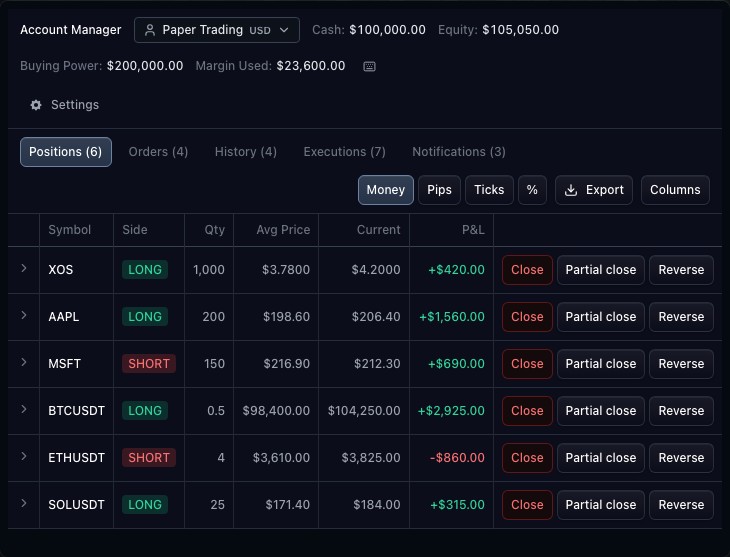
Move between the pages supplied by the broker, including positions, orders, history and executions. These views reflect broker-owned state. A pending order, accepted order and execution represent different events.
02
Keep balances and P&L attributable
The broker supplies account summary values, currencies and profit-and-loss facts. The panel displays those values in their declared context. It does not infer realized P&L by adding visible position rows or assume that every account has the same buying-power rules.
03
Configure the account experience
The integration declares page metadata, columns, formatters and actions. Supported row actions can open confirmation dialogs. Custom tables allow a broker to expose additional account information alongside the standard pages.
How to use account manager
- Open the Account Manager demonstration.
- Compare the summary with the selected account.
- Switch between Positions, Orders and History.
- Inspect column controls and available row actions.
Data behind this view
Requires a connected trading controller and account metadata. The demonstration uses paper-account state.
Common questions
Who calculates the account P&L?
The broker integration supplies authoritative account P&L and its currency context.
Can I add custom account tables?
Yes. Broker metadata and custom-table methods can define additional pages and rows.