01
Build a session from time at price
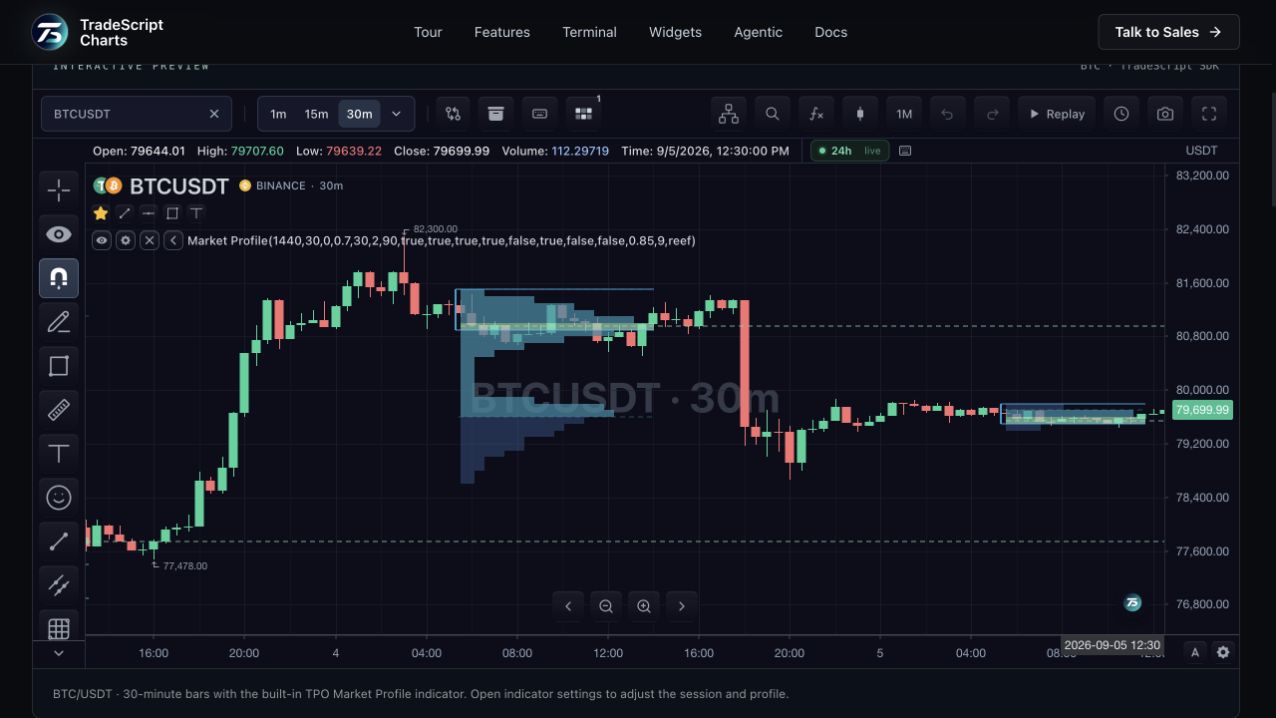
Letters mark time brackets that traded at a price level. Their distribution helps describe where a session spent more or less time. The built-in profile derives its structure from the chart bars and the configured session, so the chosen interval and session definition matter.
02
Keep reference levels visible
The profile includes point of control, value-area boundaries, initial balance and single prints. Naked point-of-control lines can extend until price returns. These references let users compare session structure with later price action without manually redrawing each level.
03
Separate time from traded volume
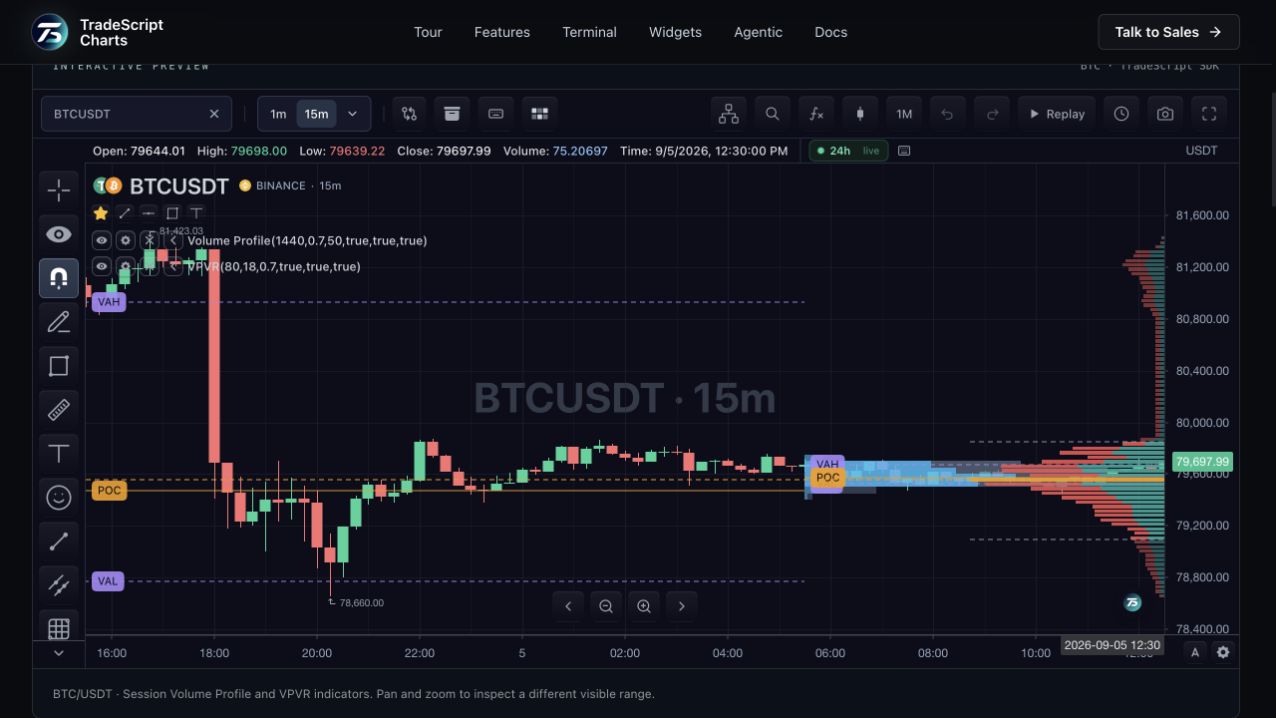
TPO measures time-price participation. Volume profile groups volume by price. They may place their points of control at different levels because they summarize different information. TradeScript supports both as built-in indicators with their own settings.
How to use tpo market profile
- Inspect the session letter distribution.
- Find the point of control and value-area boundaries.
- Open the indicator settings to change the profile configuration.
Data behind this view
Uses chart bars and session settings. Profile resolution and accuracy depend on the available bars and selected price-level size.
Common questions
Does TPO need an order-book feed?
No. The built-in TPO indicator derives its profile from chart bars. It does not require recorded depth.
Is TPO the same as volume profile?
No. TPO organizes time-price opportunities; volume profile organizes volume by price.