01
Compare calls and puts around spot
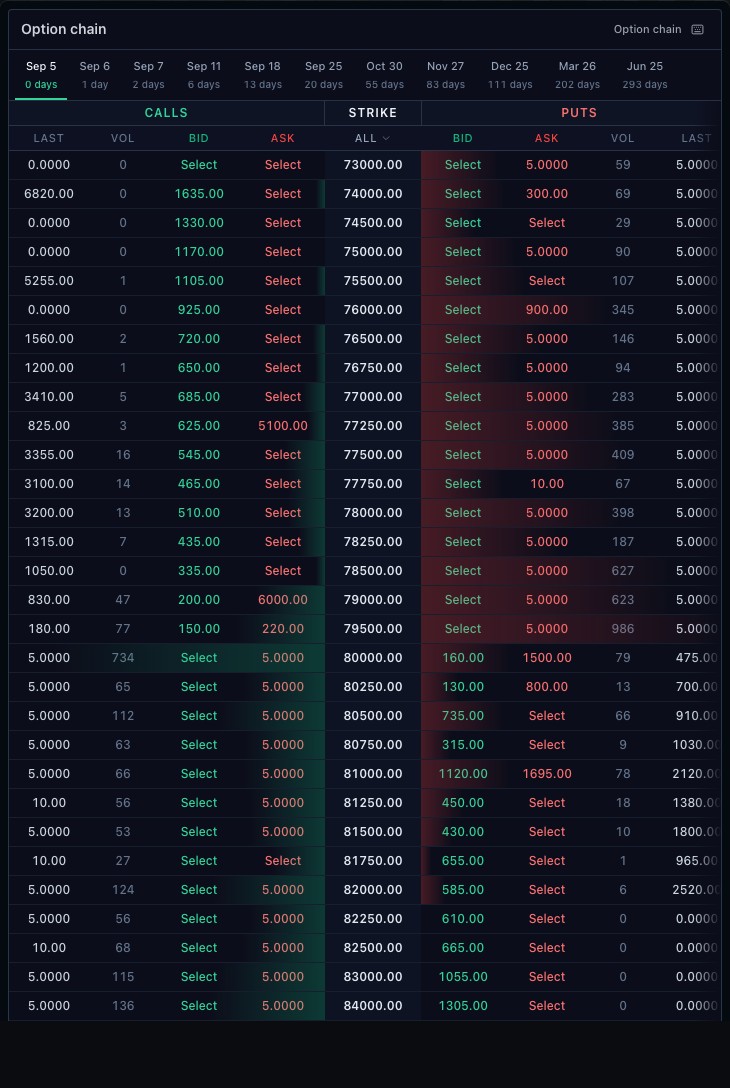
Calls and puts share a strike ladder with underlying-price context. Quote fields such as last, bid, ask and volume depend on the connected provider. Missing fields remain missing rather than becoming invented values.
02
Choose the expiry and strike window
Change the expiration to load the relevant contracts, then adjust the visible strike range. The selected contract carries its underlying, expiry, strike and right through the integration; a displayed symbol is not its entire identity.
03
Continue into an option order
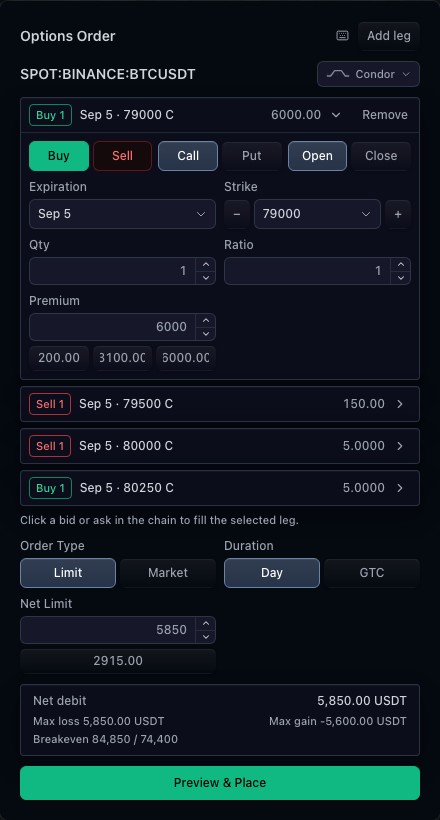
A selection can carry the contract and selected premium into the option ticket. Your application owns that handoff. Market-data availability is separate from broker tradability, so a quote does not establish permission to trade the contract.
How to use options chain
- Open the options-chain demonstration and wait for available contracts.
- Choose an expiration.
- Compare call and put bids and asks at a strike.
- Adjust the strike-window control to inspect more contracts.
Data behind this view
Requires option contracts and quotes from a supported provider. The demonstration uses the connected BTC options source; exchange availability can vary.
Common questions
Are Greeks always available?
Only when supplied by the connected option data source. Field availability varies by contract and provider.
Can I trade directly from a selection?
A host can connect the selected contract to its option ticket. The broker must resolve, preview and accept the order.