Replay
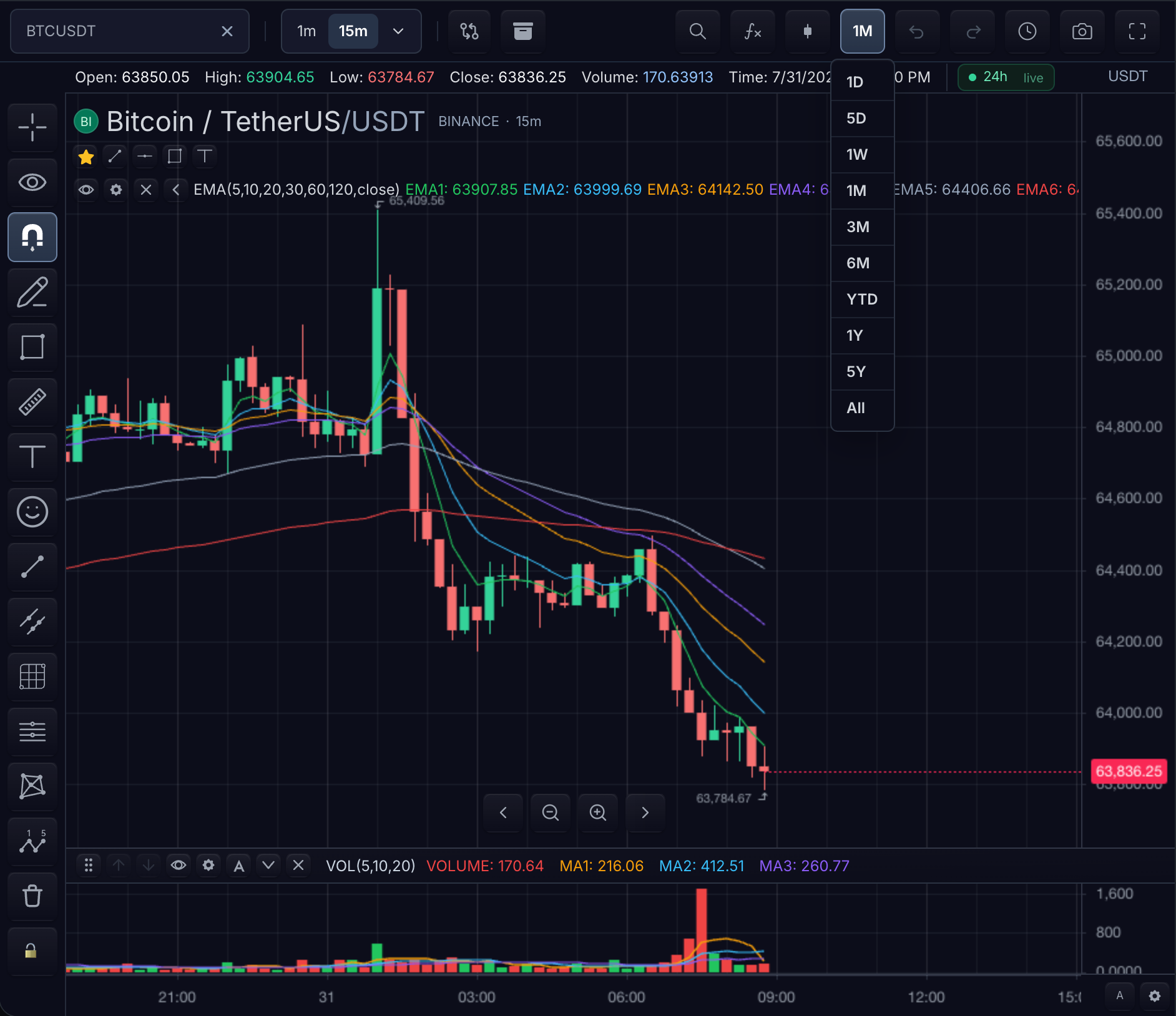
Replay steps through historical bars already loaded on the chart without
pretending the replay clock is live market time. It is driven by a replay
controller — widget.replay() on a mounted widget, or a self-managed
ReplayController — and surfaced in the UI through the features.replay
control bar.
Data requirements
Replay operates on the chart's loaded bars, not on new datafeed requests. When picking starts, the controller captures a stable copy of the loaded series so bar indices stay fixed for the whole session even while live updates continue to arrive. Consequences:
- History must be loaded first — any picking or stepping call with no loaded
bars throws
Replay requires loaded chart bars. That is the unavailable-history state: catch it and tell the user to load more history before offering replay. - The replayable range is exactly the loaded range. Bar indices are zero-based
positions in that captured series; out-of-range indices throw
Replay bar index is outside the loaded range. - Exiting releases the captured copy; the next session captures fresh bars.
Replay lifecycle
ReplayState.status is one of idle, picking, paused, playing, or
ended:
| Status | Meaning | Available actions | Chart behavior |
|---|---|---|---|
idle | Replay not active | startPicking | Normal live/realtime behavior |
picking | Choosing a start bar | pickStartBar, cancelPicking | Loaded bars captured; timer stopped |
paused | Holding a replay bar | play, stepForward, stepBackward, jumpToBar, setSpeed, exit | Cursor bar scrolled to center |
playing | Auto-advancing | pause, setSpeed, jumpToBar, exit | One bar per timer tick at the configured speed |
ended | Cursor on the final bar | jumpToBar (restart earlier), exit | Holds the last available bar |
End-of-data is not a separate status flag: playing into the last bar,
stepping onto it, or jumping to it transitions to ended and emits the
ended event. Unavailable history never enters the lifecycle at all — the
entry calls throw instead.
Driving replay
Use the widget's controller accessor; every action returns the resulting
ReplayState snapshot:
const replay = widget.replay()

replay.startPicking()              // status: 'picking'
replay.pickStartBar(120)           // status: 'paused', cursor on bar 120

replay.play()                      // status: 'playing'
replay.setSpeed(10)                // bars per second; timer restarts if playing
replay.pause()                     // status: 'paused'

replay.stepForward()               // +1 bar, stays 'paused'
replay.stepBackward(5)             // -5 bars, clamped to bar 0
replay.jumpToBar(200)              // jump; landing on the last bar => 'ended'

replay.exit()                      // status: 'idle', captured bars released
Speed is bars per second: the auto-advance timer ticks every
max(16, round(1000 / speed)) ms. Invalid speeds (zero, negative,
non-finite) throw.
Subscribe for state transitions — each action emits its specific event
(picking-started, picking-cancelled, started, played, paused,
stepped, jumped, speed-changed, ended, exited, saved, loaded)
followed by a generic state event. The same events are mirrored onto the
chart event bus as replay-change, so hosts can listen in one place:
const stop = replay.subscribe((event) => {
  console.log(event.type, event.state?.status)
})

chart.on('replay-change', (event) => updateReplayToolbar(event.state))
Hosts without a mounted widget can construct the controller directly with
new ReplayController({ chart, storage?, context?, scrollOnUpdate? }) from
@tradescript/pro/sdk, and must call destroy() when done with it.
Controls
features.replay configures the built-in surface; every switch defaults to
enabled:
| Option | Controls |
|---|---|
controls | The on-chart replay control bar |
picking | Interactive start-bar picking on the chart |
speedControl | The playback-speed control |
persistence | Replay-state persistence through the chart storage adapter |
A host-composed toolbar needs nothing beyond the controller: render buttons
from getState() and the event stream, and call the actions above.
Live and replay transitions
- Entering replay does not tear down live subscriptions; the captured bar copy isolates replay indices from live updates arriving behind it.
- Picks, steps, jumps, and loads scroll the chart to the cursor bar
(disable with
scrollOnUpdate: falseon a self-managed controller). exit()stops the timer, resets toidlewhile keeping the configured speed, releases the captured bars, and returns the chart to normal live behavior. Destroying the widget destroys the controller.
Persisting replay position
With a chart storage adapter that implements saveReplayState /
loadReplayState (and features.replay.persistence on), the controller can
round-trip its state:
await replay.saveState()           // stamps persistedAt, emits 'saved'

const restored = await replay.loadState()
// null when nothing was stored; a persisted 'playing' status is demoted to
// 'paused' so playback never auto-resumes on load.
Both throw when no adapter with the matching method is configured. The chart's symbol and interval fill in any storage-context fields the request omits.
Verification
- Call
startPicking()before any bars are loaded and confirm it throws the unavailable-history error. - Pick a bar in the middle of loaded history and confirm status is
pausedwithcurrentBarIndex === startBarIndex. play(), thenpause(): the cursor stops advancing and status ispaused.stepForward()advances exactly one bar per call.setSpeed(20)while playing restarts the timer without skipping or duplicating bars.- Step or play onto the final bar: status becomes
endedand theendedevent fires once. exit(): status returns toidle, live updates behave normally, and no furthersteppedevents arrive.
Next steps
- TradeScript Widget — mount, readiness, and cleanup ownership for the chart replay runs on.
- Historical Bars — the data contract replay steps through.
- Replay state — persist replay progress separately from chart layouts.