Standalone Widgets by Framework
TradeScript product surfaces are framework-neutral. Angular, Vue, Nuxt,
Svelte, React, Next.js, and plain JavaScript applications all use the same
named sdk.<surface>.mount(...) modules. A mount returns the owner of that DOM
surface, with update(...) for later prop changes and destroy() for route or
component teardown.
The examples below mount a time-and-sales tape. Use the same framework
lifecycle with sdk.marketDepth, sdk.watchlist, sdk.orderTicket,
sdk.optionChain, sdk.accountPanel, or any other named surface.
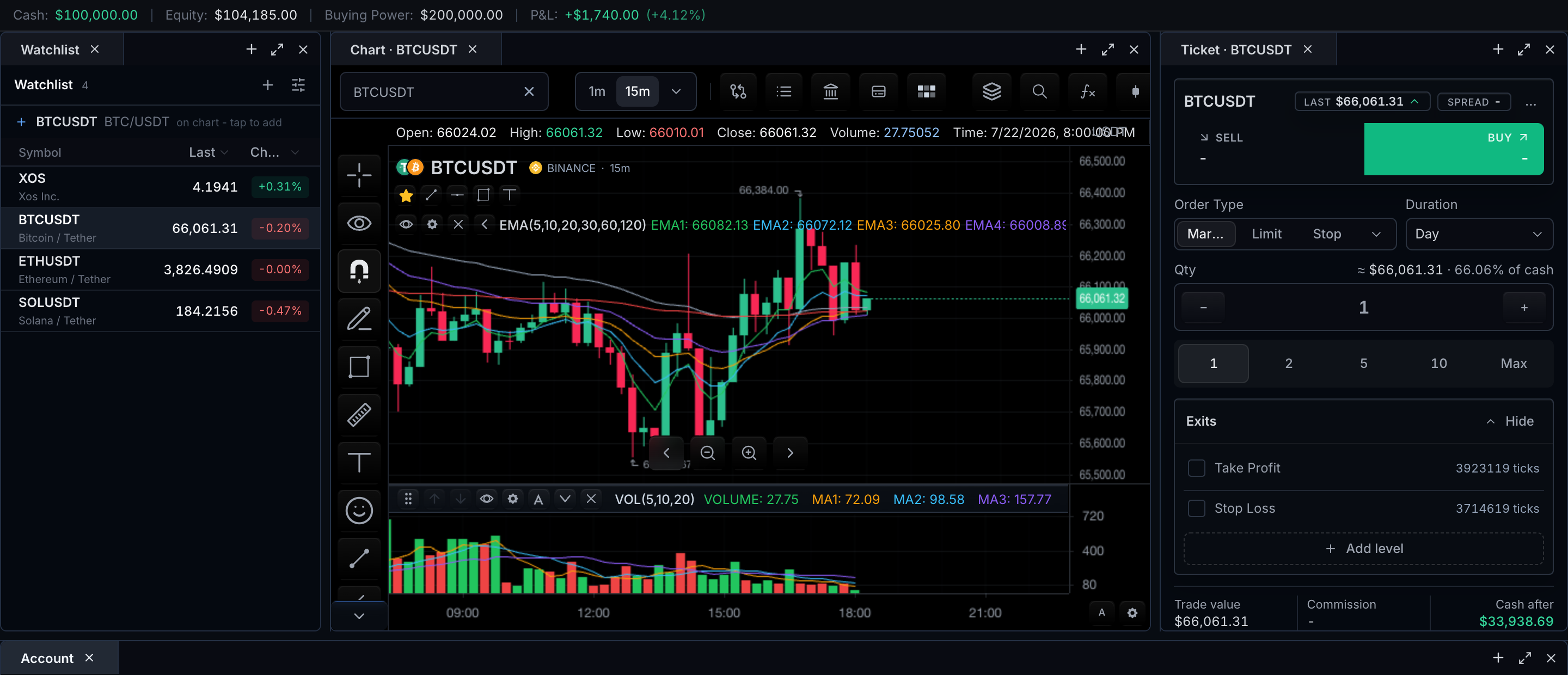
Before mounting a widget
Your application provides four things:
- An authorized
TradeScriptSdkcreated once from your deployment lease. - A framework-owned HTML element with a real width and height.
- The typed controllers, adapters, and data required by that surface.
- The global SDK styles imported once by the application.
import { createTradeScriptSdk } from '@tradescript/pro/sdk/core';
import '@tradescript/pro/style.css';
import '@tradescript/pro/tailwind.css';

const sdk = await createTradeScriptSdk({ lease: deploymentLease });
The tape example receives marketData and symbol from an already-ready chart:
const chartMount = sdk.chart.mount({
  mount: '#chart',
  symbol: 'AAPL',
  interval: '15m',
  datafeed,
});

const chart = await chartMount.ready();
const marketData = chart.data();
const symbol = chart.chart().getSymbol();
Use your framework lifecycle
- Plain JavaScript
- Angular
- Vue 3 / Nuxt
- Svelte
- React / Next.js
Mount after the route has created its DOM, update from application state, and destroy from the router's disposal callback:
const tape = sdk.timeAndSales.mount({
  mount: document.querySelector('#tape')!,
  marketData,
  symbol,
  maxRows: 100,
  theme: 'dark',
});

export function setTapeDensity(compact: boolean) {
  tape.update({ maxRows: compact ? 40 : 100 });
}

export function leaveRoute() {
  tape.destroy();
}
Mount in ngAfterViewInit, update the existing surface when application state
changes, and release it in ngOnDestroy:
import {
  AfterViewInit,
  Component,
  ElementRef,
  Input,
  OnChanges,
  OnDestroy,
  SimpleChanges,
  ViewChild,
} from '@angular/core';
import type {
  MarketDataControllerApi,
  SdkSymbolInfo,
  TradeScriptSdk,
} from '@tradescript/pro/sdk';

@Component({
  selector: 'app-time-and-sales',
  standalone: true,
  template: '<div #host class="tape"></div>',
  styles: ['.tape { height: 480px; }'],
})
export class TimeAndSalesComponent implements AfterViewInit, OnChanges, OnDestroy {
  @ViewChild('host', { static: true }) host!: ElementRef<HTMLDivElement>;
  @Input({ required: true }) sdk!: TradeScriptSdk;
  @Input({ required: true }) marketData!: MarketDataControllerApi;
  @Input({ required: true }) symbol!: SdkSymbolInfo;
  @Input() maxRows = 100;

  private surface?: ReturnType<TradeScriptSdk['timeAndSales']['mount']>;

  ngAfterViewInit() {
    this.surface = this.sdk.timeAndSales.mount({
      mount: this.host.nativeElement,
      marketData: this.marketData,
      symbol: this.symbol,
      maxRows: this.maxRows,
    });
  }

  ngOnChanges(changes: SimpleChanges) {
    if (this.surface && changes['maxRows']) {
      this.surface.update({ maxRows: this.maxRows });
    }
  }

  ngOnDestroy() {
    this.surface?.destroy();
  }
}
For Angular SSR, render this component only in the browser; every surface needs a real DOM mount.
Use onMounted and onBeforeUnmount. A Nuxt component that mounts a widget
should use the .client.vue suffix.
<script setup lang="ts">
import { onBeforeUnmount, onMounted, ref, watch } from 'vue';
import type {
  MarketDataControllerApi,
  SdkSymbolInfo,
  TradeScriptSdk,
} from '@tradescript/pro/sdk';

const props = defineProps<{
  sdk: TradeScriptSdk;
  marketData: MarketDataControllerApi;
  symbol: SdkSymbolInfo;
  maxRows?: number;
}>();

const host = ref<HTMLElement | null>(null);
let surface: ReturnType<TradeScriptSdk['timeAndSales']['mount']> | undefined;

onMounted(() => {
  surface = props.sdk.timeAndSales.mount({
    mount: host.value!,
    marketData: props.marketData,
    symbol: props.symbol,
    maxRows: props.maxRows ?? 100,
  });
});

watch(() => props.maxRows, (maxRows) => {
  surface?.update({ maxRows: maxRows ?? 100 });
});

onBeforeUnmount(() => surface?.destroy());
</script>

<template><div ref="host" class="tape" /></template>
<style scoped>.tape { height: 480px; }</style>
Return destroy() from onMount; Svelte runs it when the component leaves the
DOM.
<script lang="ts">
  import { onMount } from 'svelte';
  import type {
    MarketDataControllerApi,
    SdkSymbolInfo,
    TradeScriptSdk,
  } from '@tradescript/pro/sdk';

  export let sdk: TradeScriptSdk;
  export let marketData: MarketDataControllerApi;
  export let symbol: SdkSymbolInfo;
  export let maxRows = 100;

  let host: HTMLDivElement;
  let surface: ReturnType<TradeScriptSdk['timeAndSales']['mount']> | undefined;

  onMount(() => {
    surface = sdk.timeAndSales.mount({
      mount: host,
      marketData,
      symbol,
      maxRows,
    });
    return () => surface?.destroy();
  });

  $: surface?.update({ maxRows });
</script>

<div bind:this={host} class="tape"></div>
<style>.tape { height: 480px; }</style>
Use the framework-neutral mount when you need any standalone widget. In Next.js, keep this component client-owned.
'use client';

import { useEffect, useRef } from 'react';
import type {
  MarketDataControllerApi,
  SdkSymbolInfo,
  TradeScriptSdk,
} from '@tradescript/pro/sdk';

type Props = {
  sdk: TradeScriptSdk;
  marketData: MarketDataControllerApi;
  symbol: SdkSymbolInfo;
  maxRows?: number;
};

export function TimeAndSales({ sdk, marketData, symbol, maxRows = 100 }: Props) {
  const host = useRef<HTMLDivElement>(null);
  const surface = useRef<ReturnType<TradeScriptSdk['timeAndSales']['mount']>>();

  useEffect(() => {
    surface.current = sdk.timeAndSales.mount({
      mount: host.current!,
      marketData,
      symbol,
      maxRows,
    });
    return () => surface.current?.destroy();
  }, [sdk, marketData, symbol]);

  useEffect(() => {
    surface.current?.update({ maxRows });
  }, [maxRows]);

  return <div ref={host} style={{ height: 480 }} />;
}
@tradescript/pro/react is optional and provides host-React adapters for
the chart and every standalone product surface. Use those components when
React should own the container lifecycle; use the named SDK modules shown here
for framework-neutral mounting. Component consumers import
@tradescript/pro/react/style.css once from the application entry after
the two Pro stylesheets.
Swap in another product surface
The framework lifecycle does not change when the widget changes. Only the module and typed props do:
| Need | Module |
|---|---|
| Market depth | sdk.marketDepth |
| Time and sales | sdk.timeAndSales |
| Watchlist | sdk.watchlist |
| Session status | sdk.sessionMeta |
| Account panel or summary | sdk.accountPanel, sdk.accountSummary |
| Order ticket | sdk.orderTicket, sdk.orderTicketLauncher |
| Option chain or option ticket | sdk.optionChain, sdk.optionOrderTicket |
| Price ladder | sdk.ladder |
| Complete terminal | sdk.tradingTerminal |
| Composable layout | sdk.layout |
| Agent activity | sdk.agentConsole |
Open the Widget API for exact prop types and the Product Surfaces page to choose the smallest surface for the user workflow.
Verify the integration
- Mount the route and confirm the widget reaches its ready state with the expected data, broker, or storage controller.
- Change one host prop and confirm
update(...)changes the existing surface without duplicating DOM or subscriptions. - Leave the route and confirm
destroy()stops subscriptions and removes the widget DOM. - Return to the route and confirm a new instance mounts cleanly.
Next steps
- Product Surfaces — choose which surfaces your product needs.
- Widget Hotkeys — collision-safe keyboard actions once several surfaces share a page.
- Trading — the broker contracts behind the trading surfaces.
- Framework and Widget Starters — the same lifecycle for the chart itself.