Timezone Selector
The chart timezone controls how times are displayed. Users change it from the timezone selector in the top toolbar; hosts set it at construction or at runtime, and can add friendly aliases to the selector.
For the wider model — exchange, chart-display, browser, and session timezones and how they compose — see Timezones.
The selector
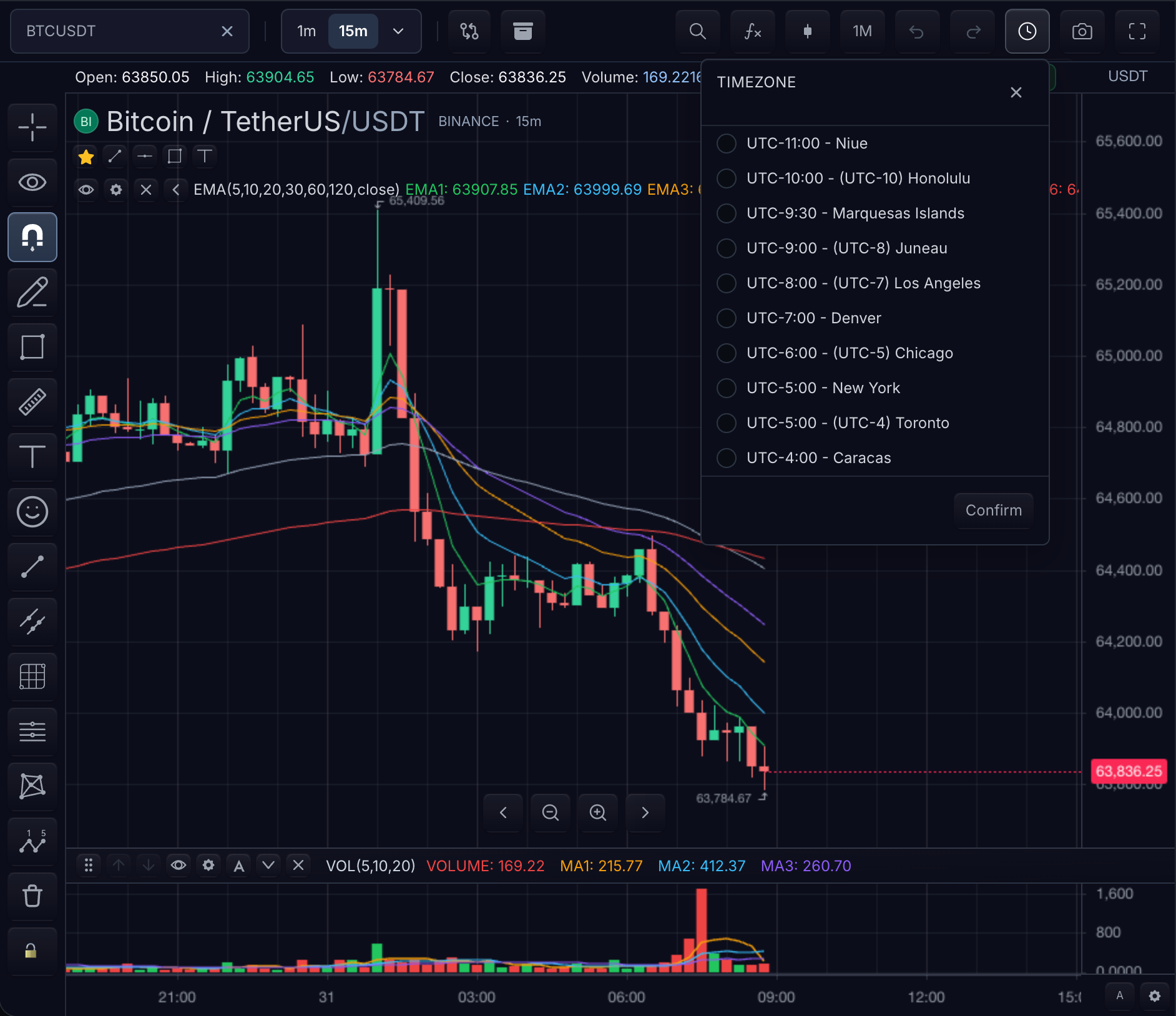
Timezone menu open · BTCUSDT · 15m · dark theme — captured from the live playground.
Three controls make up the selector:
- Timezone list — each row pairs a UTC offset with a market city label (for example
UTC-5:00 - New York). Entries include common IANA market zones and fixed-offset entries; hosts extend or relabel them withLocalizationSettings.timezoneAliases. - Radio selection and Confirm — the change applies to displayed scale and legend labels when confirmed.
- The clock button in the top toolbar opens this modal — see Toolbars.
Changing the chart timezone changes displayed scale and legend labels. It does not change the UTC timestamps supplied by the feed or the exchange session definition.
Before and after
For a bar at 2026-07-31T13:30:00Z, a New York chart and a Colombo chart display different clock labels while both refer to the same bar:
| Layer | New York chart | Colombo chart | Owner |
|---|---|---|---|
| Bar timestamp | 2026-07-31T13:30:00Z | 2026-07-31T13:30:00Z | Datafeed |
| Scale label | 9:30 AM (America/New_York, UTC-4 in July) | 7:00 PM (Asia/Colombo, UTC+5:30) | Chart timezone |
| Exchange session | Exchange schedule timezone | Same exchange schedule | SymbolInfo / session calendar |
| Number/date language | Active locale | Active locale | Localization |
Keep the four layers separate when debugging:
- Scale labels — the only thing the chart timezone changes.
- Bar timestamps — always UTC epoch values from the feed; never rewritten by display settings.
- Exchange sessions — defined in the exchange's own schedule timezone via
SymbolInfo.timezoneand session calendars; shading and filtering follow the schedule, not the display zone. - Browser locale — controls number and date language through Localization, not through the timezone selector.
Configuration mapping
| Need | TradeScript surface |
|---|---|
| Initial chart timezone | ChartWidgetOptions.timezone |
| Symbol timezone | SymbolInfo.timezone |
| Runtime timezone | chart.customization().setTimezone(timezone) |
| Locale plus timezone | chart.customization().setLocalization(...) |
| Custom timezone aliases | LocalizationSettings.timezoneAliases |
| UI selector | Timezone modal in the chart toolbar |
The built-in selector includes common IANA market zones and fixed-offset entries. Runtime APIs also accept arbitrary IANA timezone IDs when the host wants a zone that is not shown in the picker.
sdk.chart.mount({
  mount: '#chart',
  symbol: 'AAPL',
  interval: '1D',
  timezone: 'America/New_York',
  datafeed,
});

chart.customization().setTimezone('Asia/Colombo');

chart.customization().setLocalization({
  timezoneAliases: [
    { id: 'nyse-local', label: 'NYSE Local', timezone: 'America/New_York' },
  ],
});
Alias Contract
Aliases expose friendly names or fixed-offset market labels while still resolving to a concrete timezone.
| Field | Meaning |
|---|---|
TimezoneAlias.id | Stable alias ID |
TimezoneAlias.timezone | Concrete IANA or fixed-offset timezone |
TimezoneAlias.label | User-facing selector label |
TimezoneAlias.offsetMinutes | UTC offset in minutes associated with the alias |
TimezoneAlias.metadata | Host-defined passthrough data; the SDK does not interpret it |
GMT-style aliases such as Etc/GMT+3 pass through as concrete timezone IDs. Hosts must choose aliases that match the intended daylight-saving behavior.
Related pages
- Localization → Timezones — locale/timezone precedence and cross-midnight session examples
- Session Schedules — the exchange-side schedule contract
- Time Scale — where the labels render