Symbol Search Surface
Symbol search is the surface users open to change the active symbol. It opens from the toolbar symbol box, the magnifier button, or the open-symbol-search built-in action (default shortcut mod+k), and it is backed entirely by the datafeed's searchSymbols and resolveSymbol contracts.
Where it opens from

BTCUSDT · 15m · dark theme — the symbol box (left) and search button (magnifier, right cluster) both open symbol search.
Query to selection
UI states
| State | Callback and data | Outcome |
|---|---|---|
| Open | None yet; the panel opens with the current query context | Focused input; features.symbolSearch.uppercase normalizes typed text |
| Query (typing) | searchSymbols fires after the features.symbolSearch.requestDelayMs debounce, with limit/cursor for pagination | Result list streams in; venue and asset-type filters come from SymbolSearchDatafeedConfig.exchanges / assetTypes |
| Results | Result rows carry identity, venue, asset type, and logos (SymbolInfo.logoUrl, logoUrls, exchangeLogoUrl) | Selecting a row hands its identity to resolveSymbol |
| Empty | searchSymbols returned no rows | The open panel stays up with a clear retry or query-change action |
| Error | searchSymbols rejected, or resolveSymbol failed for the selection | The previous chart symbol stays active; the error is reported beside the selected result |
| Selection | resolveSymbol returns SymbolInfo, then the chart calls loadBars | The chart switches symbol through the normal resolve-and-load lifecycle |
Submitting typed text directly (rather than picking a listed result) is controlled by features.symbolSearch.allowArbitraryInput, and the features.symbolSearch.completeSymbol hook maps raw input to the final symbol before resolution.
One search contract, many surfaces
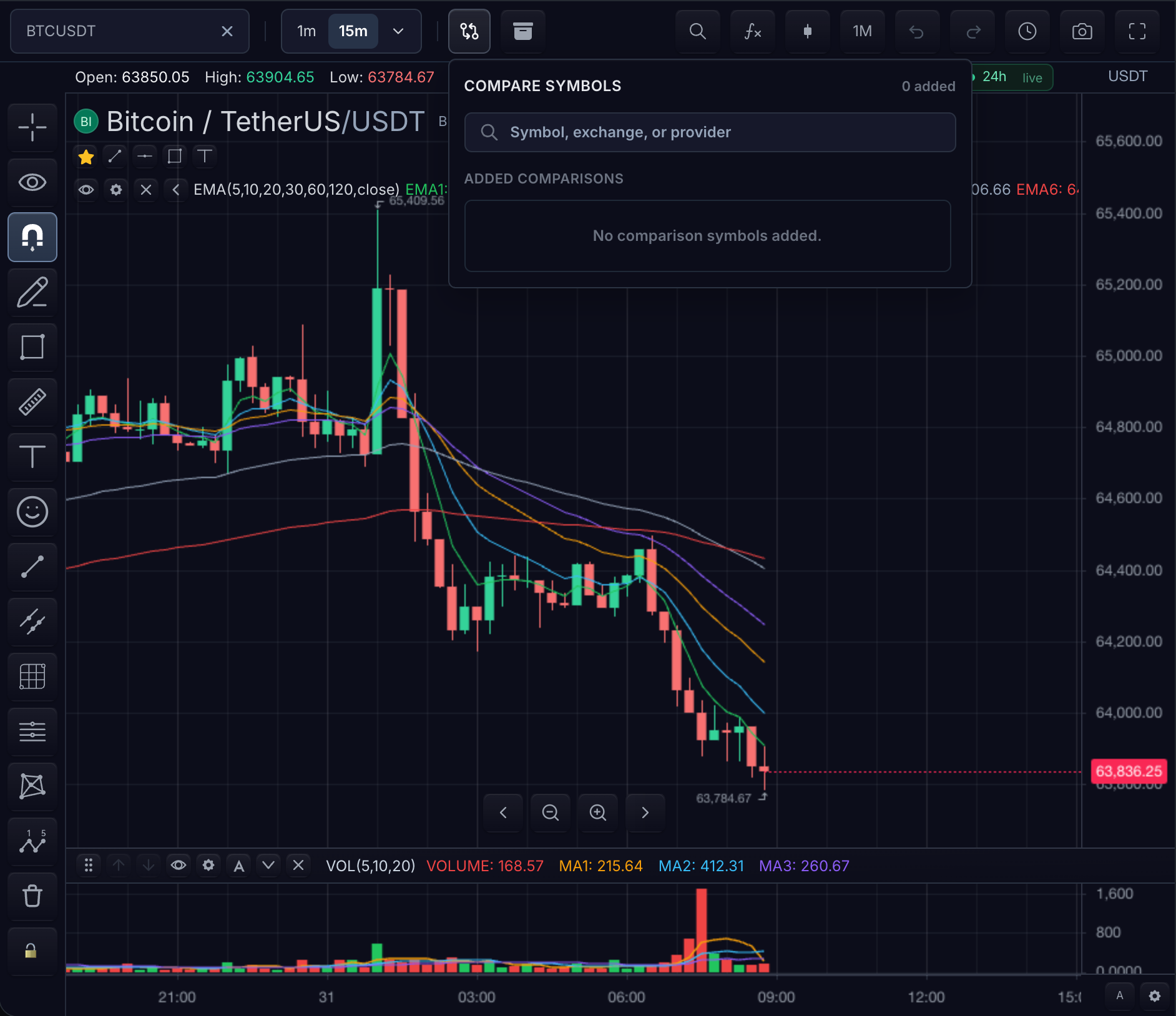
Compare dialog · empty state — the same searchSymbols contract powers the compare dialog; here no query has run and no comparisons are added.
MarketDataFeed.searchSymbols is the single search contract used by the main symbol search, watchlists, comparisons, and indicator symbol inputs. Implement it once and every search surface — including the empty and error states above — behaves consistently.
Current surface
| Search capability | TradeScript surface |
|---|---|
searchSymbols | MarketDataFeed.searchSymbols |
| Paginated search | searchSymbols with limit and cursor |
| Request delay | features.symbolSearch.requestDelayMs |
| Uppercase | features.symbolSearch.uppercase |
| Arbitrary typed input | features.symbolSearch.allowArbitraryInput |
| Logos | SymbolInfo.logoUrl, logoUrls, exchangeLogoUrl (display gates: features.symbolSearch.showLogos, showExchangeLogos) |
| Exchanges/types | SymbolSearchDatafeedConfig.exchanges, assetTypes |
| Spread operators | features.symbolSearch.showSpreadOperators, spreadOperators; feed capability SymbolSearchDatafeedConfig.supportsSpreadOperators |
| Completion hook | features.symbolSearch.completeSymbol |
| Programmatic open | chart.openSymbolSearch() |
| Close popups | chart.closePopups() |
Related pages
- Symbol Search Datafeed — implementing
searchSymbolsandresolveSymbol - Symbol Search Widget — widget-level behavior and configuration
- Comparisons — the compare dialog built on the same contract
- Toolbars — where the search entry points live