Instrument Details
Instrument Details is a centered, scrollable dialog that expands the active chart symbol into full reference data — company, contract, or venue fields. Users reach it from the security-info button in the first, taller row of the main-pane legend stack, next to the symbol and quote currency. The button appears when features.details is not false and the datafeed capability supportsDetails is enabled; opening it requests the active chart symbol through MarketDataController.getInstrumentDetails.
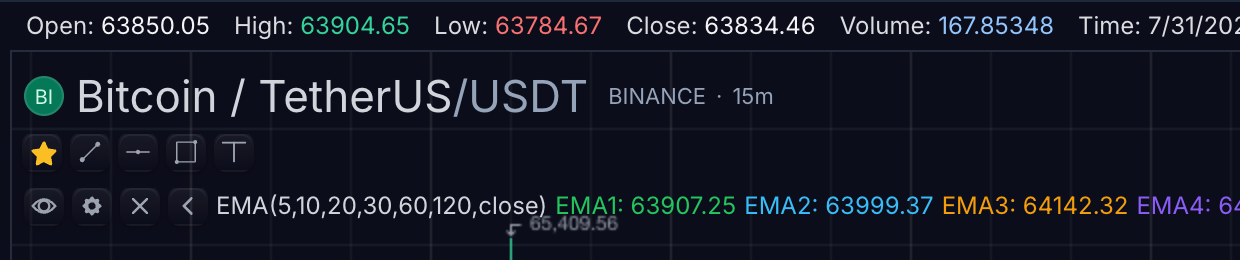
State shown: the main-pane legend symbol row (BTCUSDT, BINANCE, 15m, dark theme) — the entry point for the Instrument Details dialog.
Dialog anatomy and states
| Region or state | What it shows | Data source |
|---|---|---|
| Header | Symbol, name, and description of the resolved chart symbol | InstrumentDetails with SymbolInfo fallback |
| Identity group | InstrumentDetails.symbol, name, description | Resolved SymbolInfo when omitted |
| Venue and classification | Exchange, asset type, sector, industry | Matching SymbolInfo fields when omitted |
| Trading metadata | Currency, tick size, session, timezone | Resolved symbol metadata when omitted |
| Identifiers | ISIN, CUSIP, custom fields | Omitted when unavailable; never invented |
| Fundamentals | fundamentals map | A clear unavailable state when absent |
| Loading | Dialog tied to the current symbol while the request is in flight | getInstrumentDetails request |
| Stale response | Discarded if the symbol changes before the request returns | SDK request tracking |
Behavior by task
Open and load
Opening the dialog issues a getInstrumentDetails request for the active resolved symbol and shows a loading state tied to that symbol. If the user changes symbol before the request returns, the stale response is discarded rather than rendered against the wrong symbol.
Handle missing metadata
The panel treats InstrumentDetails as the override layer and the resolved symbol as the reference-data layer. If the details payload omits a value, the panel can display carried SymbolInfo metadata directly:
descriptionfalls back tosymbol.longDescription.exchange,assetType,currency,sector,industry,tickSize,session,timezone,isin, andcusipfall back to the matching symbol fields.priceSourceId/priceSourcesrender as active and available price-source rows.baseNamerenders as base/underlying symbols.
This keeps reference data from resolveSymbol visible without forcing hosts to duplicate it in every getInstrumentDetails response. Fields that are unavailable in both layers are omitted (identifiers) or shown with an explicit unavailable state (fundamentals); the dialog never invents values.
Add custom fields
customFields render as first-class rows using human-readable versions of the host's keys. Hosts can add fields such as CIK, FIGI, website, or venue-specific reference data without changing the SDK.
Refresh
Refresh reuses the same resolved symbol identity and the same getInstrumentDetails request path — it does not re-resolve the symbol.
Configuration
sdk.chart.mount({
  mount: '#chart',
  symbol: 'AAPL',
  interval: '1D',
  datafeed: {
    async loadBars(request) {
      return { bars: await loadBars(request) };
    },
    async getInstrumentDetails(request) {
      return {
        symbol: request.symbol,
        name: 'Apple Inc.',
        description: 'Consumer technology company',
        exchange: 'NASDAQ',
        assetType: 'stock',
        currency: 'USD',
        sector: 'Technology',
        industry: 'Consumer Electronics',
        marketCap: 3100000000000,
        fundamentals: {
          peRatio: 31.2,
        },
      };
    },
  },
  features: {
    details: true,
  },
});
| Need | Surface |
|---|---|
| Show or hide the legend security-info control | features.details (false removes it) |
| Advertise feed support | Datafeed capability supportsDetails |
| Supply the details payload | MarketDataFeed.getInstrumentDetails |
| Reference-data fallback layer | Resolved SymbolInfo from resolveSymbol |
| Host-specific rows | InstrumentDetails.customFields |
The SDK owns the panel and request timing. The datafeed owns the details payload, including fundamentals and metadata.
Related pages
- Legend — the row that hosts the security-info control.
- Symbol Search Surface — where symbols are resolved before details can load.
- Data Window — point-in-time values rather than reference data.