Accessibility Validation
TradeScript's product target is WCAG 2.2 Level AA. Applications should validate semantic, keyboard, focus, motion, and contrast behavior together with their own surrounding UI. Real assistive-technology checks remain a release sign-off because browser accessibility trees and screen-reader behavior vary by platform.
Evidence record
Record one of these per executed checklist item. An item without a complete record is not passed.
| Field | Required evidence |
|---|---|
| Build | SDK version, host commit, theme, enabled features |
| Environment | OS, browser, assistive technology, viewport and zoom |
| Scenario | Exact starting state and numbered actions |
| Result | Pass/fail plus observed announcement, focus, and visible state |
| Artifact | Screenshot/video where useful and concise issue/log reference |
| Owner | SDK, host, adapter, content, or browser limitation |
Application release gate
Run your application typecheck, production build, automated accessibility scan, keyboard checks, and the release checklist below for every release that changes chart configuration or surrounding UI.
The contrast gate enforces at least 4.5:1 for normal text and 3:1 for focus indicators and other non-text UI boundaries, following WCAG 2.2 Contrast (Minimum). Keyboard acceptance follows SC 2.1.1, and visible focus follows SC 2.4.7.
Release checklist
Execute every item. Each row states the state to set up first, the exact action, and the criteria that decide pass or fail — no interpretation is required. Default owner is SDK unless the row says otherwise; reclassify to host, adapter, content, or browser limitation in the evidence record when the failure is outside SDK UI.
| # | Required starting state | Action | Pass when | Fail when |
|---|---|---|---|---|
| 1 | Chart mounted with live data; chart focused | Read the accessible name and description with the screen reader | Name includes symbol, exchange, and interval; description contains chart position, latest OHLCV, and visible-range high/low | Any of those values is missing, stale, or generic |
| 2 | Chart mounted; accessibility.keyboardNavigation enabled | Press Alt+Z, then Arrow/Home/End through both named toolbars | Disabled controls are skipped and the focus indicator stays visible on every stop | Focus lands on a disabled control, disappears, or leaves the toolbar unexpectedly |
| 3 | Chart focused | Press Left/Right, Home/End, PageUp/PageDown, Up/Down | Every move updates the visual crosshair and announces bar time, price, and exact OHLCV without moving page focus | A move skips the announcement, announces rounded values, or scrolls/moves page focus |
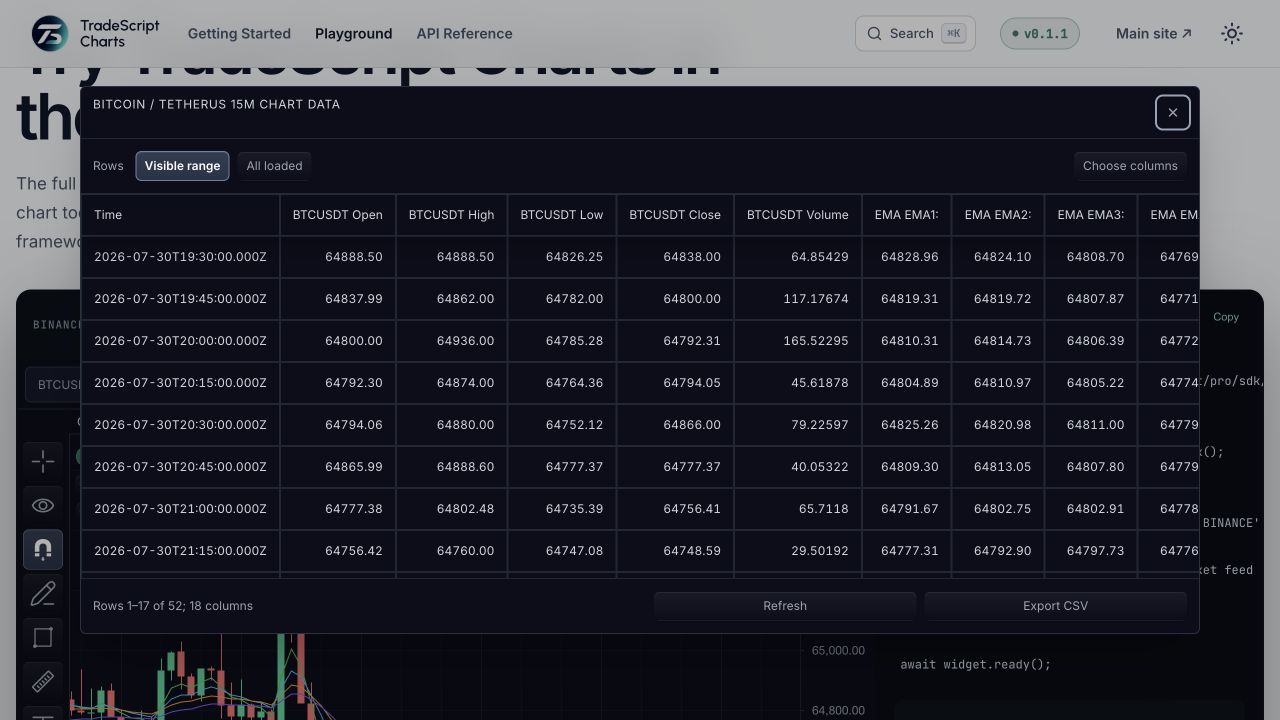
| 4 | Chart focused | Press Alt+D; navigate cells with Arrow/Home/End/PageUp/PageDown; activate a time cell; press Escape | Named modal with semantic table headers, bounded pagination, and exact values; focus is trapped, Escape closes, focus is restored; activating a time cell moves the visual crosshair to that row | Headers are not announced, values differ from the chart, focus escapes or is not restored, or the crosshair does not move |
| 5 | Chart with data; no pointer input used | Press Alt+Shift+D; create one-point, two-point, and multi-point drawings using only the tool and point controls | All three drawings appear at the chosen exact visible-bar/price points | Any drawing requires the pointer or lands at a different point |
| 6 | Chart with at least two visible drawings, one locked | Press Alt+O and Shift+Alt+O to cycle; apply Arrow, Shift+Arrow, Alt+Arrow, Delete, Escape | Cycling reaches every visible drawing; move/clone/delete apply as documented; the locked drawing rejects mutation; every operation is politely announced | An operation applies silently, mutates the locked drawing, or skips a drawing |
| 7 | Four-chart layout | Press Tab/Shift+Tab and Shift+ArrowLeft/ArrowRight | Charts switch, DOM focus transfers to the active chart, and the newly focused chart's label/description is announced | Focus and the announced chart disagree, or focus stays behind |
| 8 | Every shared dialog, tabset, select, and the default context menu, opened one at a time | Operate each with Arrow keys, Enter/Space, and Escape | Correct roles and names are exposed; arrow navigation works; modal surfaces trap focus and restore it on close; Escape behaves as documented | A role/name is missing, focus escapes a modal, or focus is not restored. Custom host renderers are owner: host |
| 9 | OS-level reduced motion, increased contrast, and forced colors enabled (one at a time) | Reload and inspect the chart and chrome | No essential information disappears and the focus indicator remains distinguishable in every mode | Information conveyed only by the suppressed effect, or an indistinguishable focus indicator. Customer themes are owner: host |
| 10 | 200% browser zoom, then narrow responsive width | Operate controls and the data table | Controls and table content remain operable without two-dimensional page scrolling outside the table's own bounded region | Content or controls become unreachable, or the page itself must scroll in two dimensions |
Assistive-technology matrix
Run the checklist above once per row of this matrix for every release candidate that changes chart DOM, keyboard handling, dialogs, toolbars, drawing controls, or theme tokens. Record the release, browser/screen-reader versions, tester, result, and evidence link in the release ticket.
| Platform | Browser | Assistive technology | Checklist items | Additional required checks |
|---|---|---|---|---|
| macOS | Safari current | VoiceOver current | 1–10 | — |
| Windows | Firefox current | NVDA current | 1–10 | Browse/focus mode transitions and table navigation |
| Windows | Chrome current | JAWS current | 1–10 | Forms mode for selects, price inputs, and drawing point controls |
| Windows | Edge current | Narrator current | 1–10 | Forced-colors mode and multi-chart focus transfer |
| iOS/iPadOS | Safari current | VoiceOver current | 1, 4, 8 | Touch exploration of chart description/table and operation of all non-canvas controls |
| Android | Chrome current | TalkBack current | 1, 4, 8 | Touch exploration of chart description/table and operation of all non-canvas controls |
Conformance boundary
TradeScript covers built-in chart UI, keyboard commands, semantic chart data, built-in theme tokens, and default portals. Your application remains responsible for the mount-page document structure, custom UI, custom CSS, customer themes, broker widgets, and global shortcut conflicts. Run auditChartThemeContrast() in application CI whenever theme tokens change.
Related pages
- Accessibility — the implemented behavior each row above validates.
- Themes — the token surface
auditChartThemeContrast()checks. - Verify your deployment — where these checks sit in a release smoke suite.