Timezones
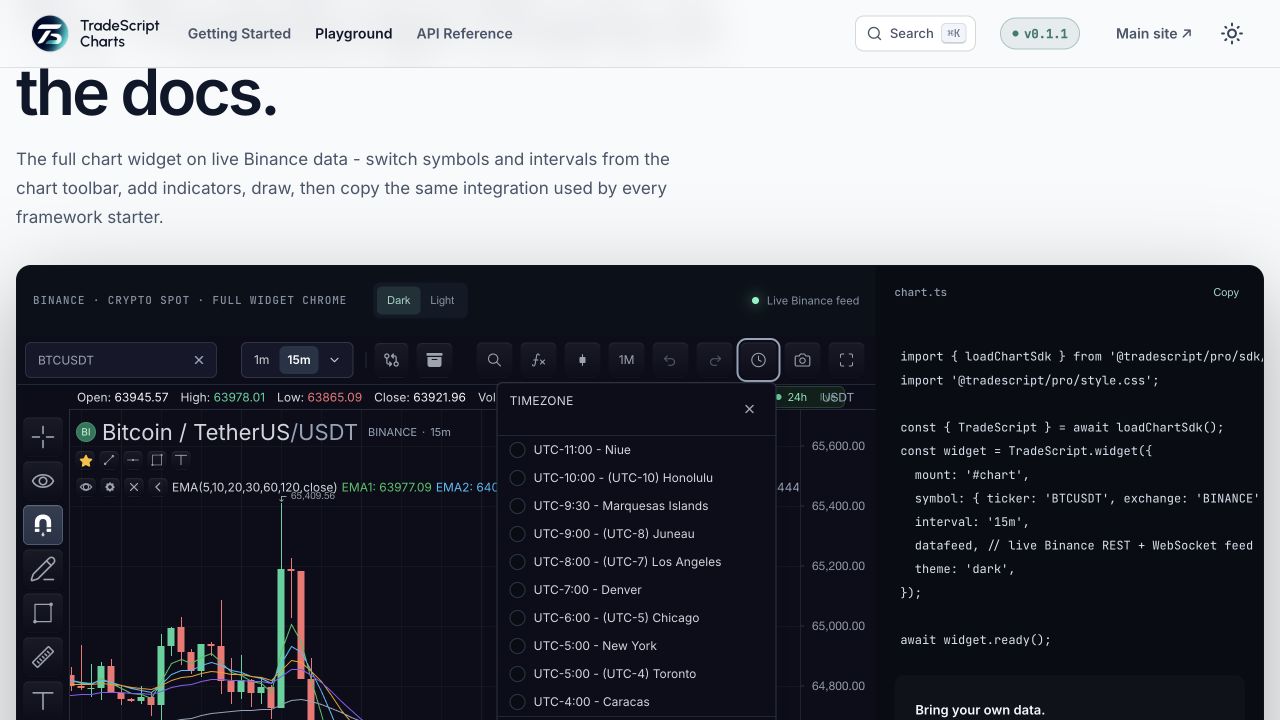
TradeScript stores all bar, quote, mark, order, and session times as Unix milliseconds. Timezone settings only control display formatting and session-calendar compilation; they never rewrite vendor bar timestamps.
Four timezones, four owners
Four different things are casually called "the timezone". They never merge:
| Timezone | Owner | Where it lives | What it affects |
|---|---|---|---|
| Exchange | Datafeed / symbology | SymbolInfo.timezone, schedule timezone | Session-schedule compilation, market-status surfaces |
| Chart display | User / host | ChartWidgetOptions.timezone, customization().setTimezone | Axis, crosshair, and tooltip labels only |
| Browser | The viewer's OS | Intl default | Fallback display formatting when nothing else is set |
| Session | The compiled schedule | Concrete epoch-ms windows from the exchange zone | Which trading day a bar belongs to, shading, filtering |
Data timestamps belong to none of these — they are absolute Unix milliseconds. Every zone above only labels or buckets those instants.
One instant, different labels
| Absolute timestamp | Display timezone | Visible label |
|---|---|---|
2026-07-31T12:00:00.000Z | UTC | 12:00 |
| same timestamp | America/New_York | 08:00 |
| same timestamp | Europe/Paris | 14:00 |
| same timestamp | Asia/Colombo | 17:30 |
Those labels assume the HH:mm formatter. The underlying timestamp remains
1785499200000 in every row.
Runtime API
Set the initial chart display timezone with ChartWidgetOptions.timezone:
sdk.chart.mount({
  mount: '#chart',
  symbol: 'AAPL',
  interval: '1D',
  timezone: 'America/New_York',
  datafeed,
});
Change it at runtime through the customization controller:
const ui = chart.customization();

ui.setTimezone('Asia/Colombo');
ui.setLocalization({
  locale: 'en-US',
  timezone: 'Europe/Paris',
  formatters: {
    date: 'YYYY-MM-DD',
    time: 'HH:mm',
  },
});
getTimezone() returns the active display timezone. setTimezone(...) emits a timezone-change customization event.
Display precedence
The active display timezone resolves in this order, from strongest to weakest:
Runtime customization().setTimezone(...) or
customization().setLocalization({ timezone }) replaces the active value
after construction. A restored
initialState.customization.localization.timezone wins during initialization,
then constructor timezone, then browser formatting.
Cross-midnight session example
Overnight sessions are where the four zones must not be confused. Take a
CME-style futures session for trading day Tuesday 2026-03-10, declared in the
exchange zone America/New_York with an overnight window
(open: '18:00', openDayOffset: -1, close: '17:00'):
- Session open: Monday 2026-03-09 18:00 New York =
2026-03-09T22:00:00Z=1773093600000 - Session close: Tuesday 2026-03-10 17:00 New York =
2026-03-10T21:00:00Z=1773176400000
Now one trade prints at 1773104400000 (2026-03-10T01:00:00Z). The same
instant reads differently in every zone, but its session assignment never
moves:
| Perspective | Zone | Label for 1773104400000 |
|---|---|---|
| Exchange | America/New_York | Mon 2026-03-09 21:00 |
| Browser in Los Angeles | America/Los_Angeles | Mon 2026-03-09 18:00 |
| Chart display set to Colombo | Asia/Colombo | Tue 2026-03-10 06:30 |
| Session (compiled window) | epoch bounds | Inside 1773093600000–1773176400000 → trading day 2026-03-10 |
The precedence proof: it is still Monday evening on the exchange clock and on a US browser clock, and already Tuesday morning on the chart display. The bar belongs to trading day Tuesday 2026-03-10 regardless, because session bucketing uses the compiled epoch windows and never any display zone.
Changing the chart display timezone re-labels the third row only. The other three rows cannot be affected from the chart UI.
Symbol timezone
SymbolInfo.timezone is reference data for the listed market or exchange. It belongs to datafeed/symbology and is used by session schedule compilation and market-status surfaces. It is not the same as the user's display timezone.
For exchange-traded symbols, return an IANA zone such as America/New_York or Europe/London from resolveSymbol. For session schedules, use the schedule's own timezone field. The compiler handles daylight-saving transitions from the IANA zone.
Timestamp interpretation
Feeds must send absolute Unix millisecond timestamps. The chart does not reinterpret a timestamp as local exchange time, and it does not shift a bar to repair a timezone/session mismatch.
For daily, weekly, monthly, and yearly bars, use 00:00:00.000Z on the trading day or bucket date. See Historical Bars.
Aliases
LocalizationSettings.timezoneAliases lets hosts expose friendly selector entries while still resolving to a concrete timezone:
chart.customization().setLocalization({
  timezoneAliases: [
    { id: 'nyse-local', label: 'NYSE Local', timezone: 'America/New_York' },
    { id: 'colombo-desk', label: 'Colombo Desk', timezone: 'Asia/Colombo' },
  ],
});
Aliases must resolve to a valid timezone string. Fixed-offset Etc/GMT... zones work, but hosts should choose IANA market zones when daylight saving matters.
Verification
- Load a bar with a known Unix timestamp and record its axis and crosshair labels.
- Change only the display timezone and confirm the labels match the same instant in the new zone.
- Confirm the bar count, timestamps, OHLC values, and order/mark identities are unchanged.
- Cross a daylight-saving boundary in an IANA zone and verify the exchange schedule compiles the correct session window.
- Reload saved state and verify the documented precedence chooses the same display timezone.
Next steps
- Session Schedules — declaring the exchange calendars these zones compile against.
- Timezone Selector — the picker users change the display zone from.
- Localization — locale, translations, and number and date formatting alongside the display zone.