Add Trusted Custom Indicators
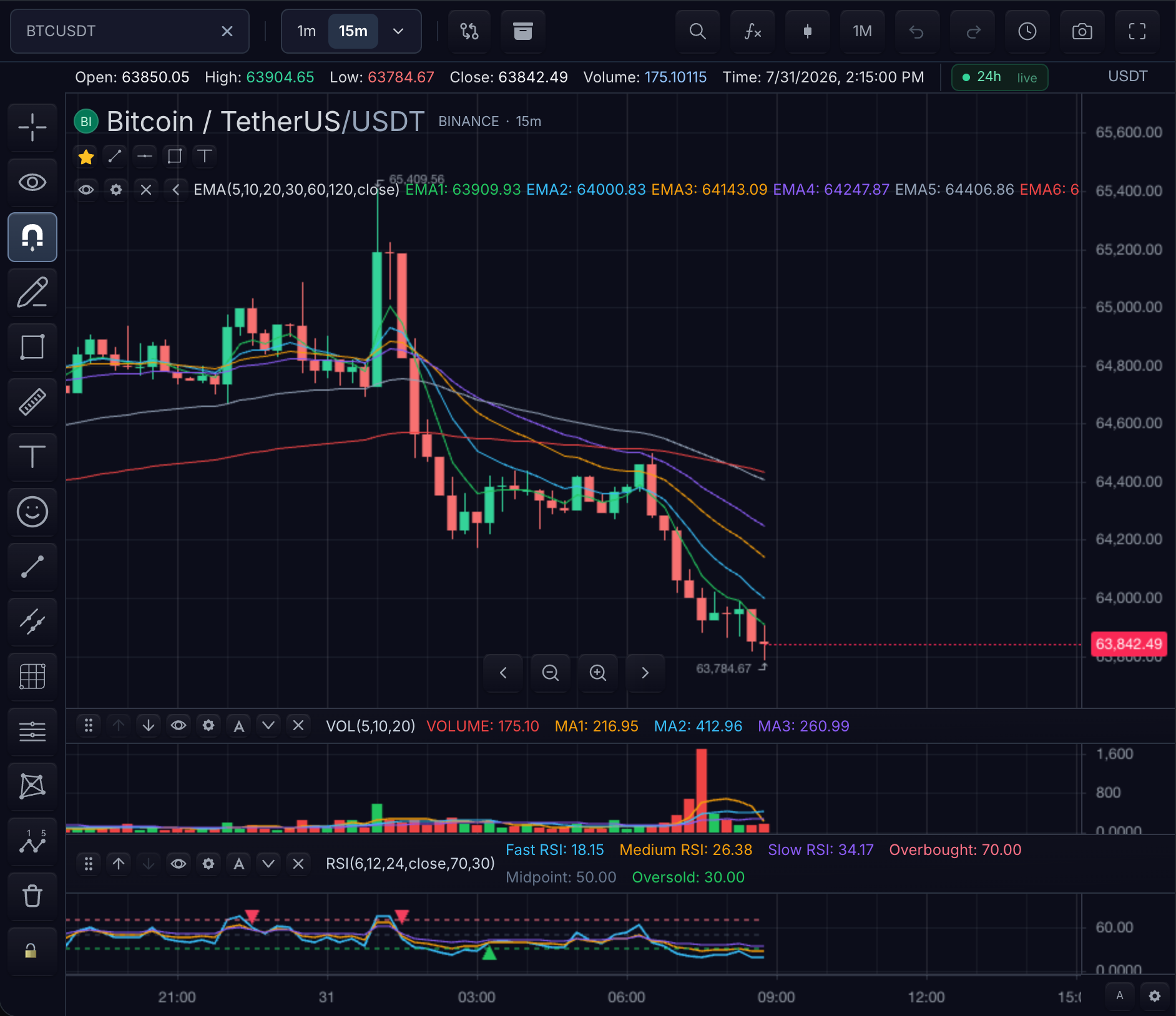
Version 1 custom indicators are TypeScript modules shipped by the host application. Your build compiles the module; TradeScript registers the imported definition at application startup.
1. Define one stable indicator
Keep the definition in its own .ts file. The id, input ids, and plot keys are storage identities; visible labels can change later.
const deskEma = indicator('Desk EMA', () => {
  const length = input.int('Length', 20, {
    id: 'length',
    min: 1,
    max: 500,
  });

  plot.line(ta.ema(close, length), {
    key: 'ema',
    title: 'EMA',
    color: '#22c55e',
  });
}, {
  id: 'desk-ema',
  compactLabel: 'EMA',
  pane: 'price',
});
Checkpoint: code review can identify every input, output, default, and visual key from this module without runtime string inference.
2. Register before creating an instance
const registeredName = registerCustomIndicator(deskEma);

const indicatorId = await chart.addIndicator({
  name: registeredName,
  paneId: 'candle_pane',
  inputs: { length: 34 },
});
Registration is application startup work. Do not compile arbitrary user-provided source inside the chart.
Checkpoint: a green EMA line overlays the candles on the price pane, and the legend gains a Desk EMA row reflecting the length: 34 input rather than the default of 20.
3. Update through the chart API
chart.updateIndicator(indicatorId, {
  inputs: { length: 55 },
});
Checkpoint: the plotted line recomputes with the longer period; the legend still shows one Desk EMA row, and no second indicator instance appears.
Verification
- The indicator appears on the intended pane with an
EMAlegend row. - Changing
lengthupdates the line without creating a second indicator. - Reloaded settings still use
desk-ema,length, andema. - The host validates user-entered values before calling
updateIndicator. Custom-indicator input primitives coerce their received overrides; strict catalog validation is available only throughupdateBuiltInIndicatorPropertiesfor built-ins. - Removing the indicator releases its chart-owned state.
Complete typed example
import {
  close,
  indicator,
  input,
  plot,
  registerCustomIndicator,
} from '@tradescript/pro/sdk/indicators';
import * as ta from '@tradescript/pro/sdk/indicators/ta';
import type { ChartApi } from '@tradescript/pro/sdk/core';

declare const chart: ChartApi;

const deskEma = indicator('Desk EMA', () => {
  const length = input.int('Length', 20, {
    id: 'length',
    min: 1,
    max: 500,
  });

  plot.line(ta.ema(close, length), {
    key: 'ema',
    title: 'EMA',
    color: '#22c55e',
  });
}, {
  id: 'desk-ema',
  compactLabel: 'EMA',
  pane: 'price',
});

const name = registerCustomIndicator(deskEma);
const indicatorId = await chart.addIndicator({
  name,
  paneId: 'candle_pane',
  inputs: { length: 34 },
});

chart.updateIndicator(indicatorId, { inputs: { length: 55 } });
Next steps
- Write a Trusted Custom Indicator — the full authoring contract, from source module to verified plot.
- Custom Indicator Recipes — worked patterns for coloring candles, filling between series, and comparing symbols.