Alerts
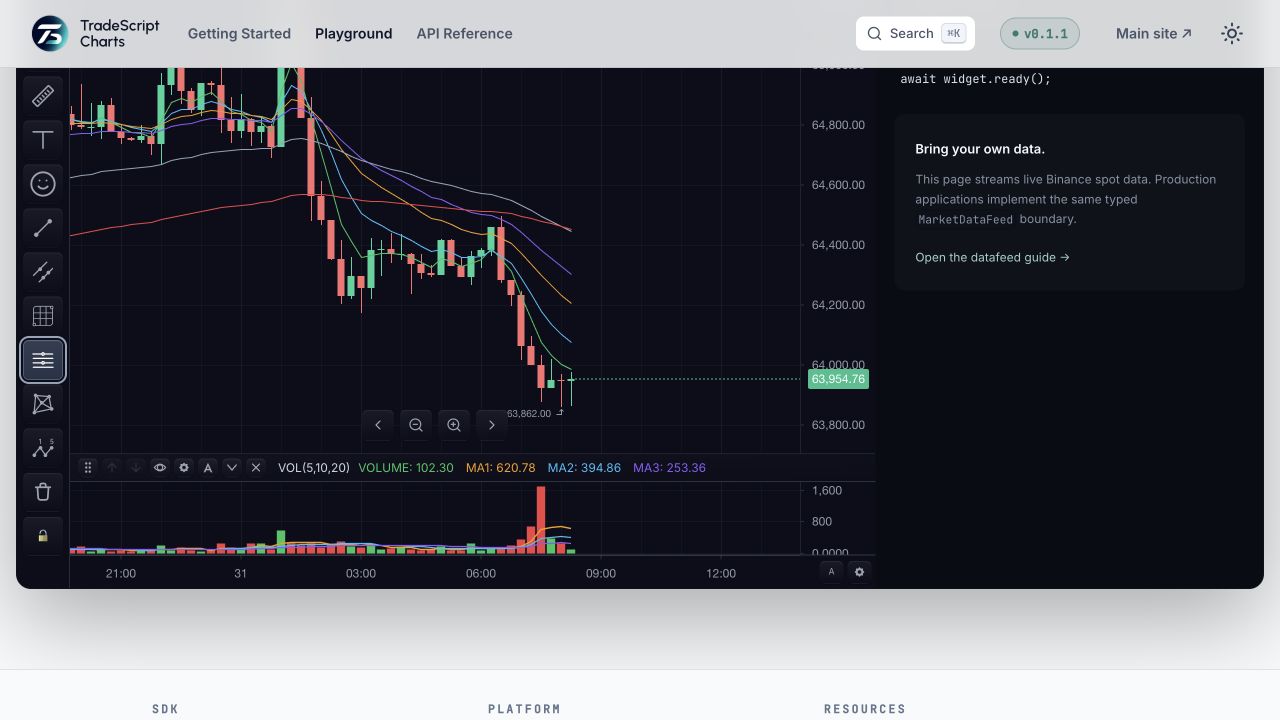
Alerts are a first-class chart object, alongside markers and drawings. Each alert renders as a
horizontal line at its price with a right-axis flag, tracks an armed → triggered lifecycle, and can be
dragged to re-price. The SDK owns the on-chart object and a CRUD surface that mirrors the Markers API;
persistence, cross-symbol evaluation, and delivery (email/SMS/webhook) plug in behind an optional
AlertProvider — the same seam pattern as datafeeds.
The alert lifecycle
Every alert moves through the same stages, and each stage has one controlling API:
armed → triggered fires the alert-trigger event; triggered → armed and
armed → disabled are both updateAlert calls with a new status.
| Stage | What happens | Controlling API |
|---|---|---|
| Create | The alert appears as a line + flag at its price, status: 'armed' | addAlert / setAlerts |
| Evaluate | Each tick is checked against the condition — by the SDK for price-* / percent-change, or by a provider for everything else | Conditions |
| Trigger | The alert fires, renders in a warning tone, and emits alert-trigger; frequency decides whether it re-arms itself | Events, Frequency, expiry, status |
| Acknowledge / re-arm | Reset a spent alert to armed, or disable it | updateAlert |
| Delete | The line and flag disappear | removeAlert / clearAlerts |
Who does what
| Responsibility | SDK | Provider (optional) |
|---|---|---|
| Render line, flag, drag-to-re-price, editor events | Yes | — |
CRUD surface and ChartState round-trip | Yes | — |
Evaluate price-* / percent-change on the visible symbol | Yes | Can take over |
| Persist beyond chart state | — | Yes |
| Fire for symbols not on screen | — | Yes |
Evaluate drawing-cross / indicator / expression | — | Yes |
| Deliver out of app (email / SMS / webhook) | — | Yes |
The SDK itself never sends email or SMS — the channels array is a hint the provider/host acts on.
Quick start
import { createTradeScriptSdk, type MarketDataFeed } from '@tradescript/pro/sdk/core';

declare const datafeed: MarketDataFeed;
declare const deploymentLease: string;

const sdk = await createTradeScriptSdk({ lease: deploymentLease });
const mounted = sdk.chart.mount({
  mount: '#chart',
  symbol: 'AAPL',
  interval: '1m',
  datafeed,
});
const widget = await mounted.ready();
const chart = widget.chart();

chart.addAlert({
  condition: { kind: 'price-cross-up', price: 250 },
  channels: ['toast', 'sound'],
});

chart.on('alert-trigger', ({ payload }) => {
  console.log(`${payload.alert.label} fired at ${payload.price}`);
});
With no provider configured, the SDK evaluates price-* and percent-change conditions against the
chart's own realtime stream. Add an AlertProvider to persist alerts, fire them for
symbols you are not currently viewing, evaluate expression conditions, or deliver out of the app.
Creating alerts
The CRUD surface mirrors addMarker / setMarkers exactly. addAlert returns the alert id
synchronously; when a provider is configured, persistence happens optimistically behind the call.
addAlert:    (alert: AlertDefinition) => string;
updateAlert: (alertId: string, patch: AlertPatch) => void;
removeAlert: (alertId: string) => void;
setAlerts:   (alerts: AlertDefinition[], filter?: AlertFilter) => void;  // bulk replace within a scope
getAlerts:   (filter?: AlertFilter) => AlertDefinition[];
clearAlerts: (filter?: AlertFilter) => void;
AlertFilter scopes bulk reads/writes by group, symbol, or status — so a feature can manage only
its own alerts (group: 'strategy') without touching user-created ones.
From the price axis
Right-clicking the price axis offers Add alert on … at … (shortcut ⌥ A). This creates an alert
out of the box: a price-above or price-below level chosen relative to the current price (so it never
instant-fires), or price-cross before any bars have loaded. The created id rides on the
price-axis-action event's metadata.createdAlertId so a host can open an editor instead of
creating a duplicate.
Turn it off — or handle creation yourself — with the feature flag.
The alert object
interface AlertDefinition {
  id?: string;
  symbol?: SymbolInfo;              // defaults to the chart's active symbol
  condition: AlertCondition;
  frequency?: AlertFrequency;       // default 'once'
  expiresAt?: number;               // epoch ms; omit for no expiry
  label?: string;                   // shown on the flag and in lists
  message?: string;
  channels?: AlertChannel[];        // delivery hint: 'toast' | 'sound' | 'push' | 'email' | 'sms' | 'webhook'
  status?: AlertStatus;             // 'armed' | 'triggered' | 'expired' | 'disabled'
  triggeredAt?: number;
  triggerCount?: number;
  style?: AlertStyle;               // line/flag color, lineStyle, glyph
  group?: string;                   // namespace for bulk ops, e.g. 'user' | 'strategy'
  locked?: boolean;
  visible?: boolean;
  interactive?: boolean;            // draggable line + double-click editor. default true
  paneId?: string;
  metadata?: Record<string, unknown>;
}
The channels array is a hint the provider/host acts on — the SDK itself never sends email or SMS.
Conditions
type AlertConditionKind =
  | 'price-above' | 'price-below'
  | 'price-cross' | 'price-cross-up' | 'price-cross-down'
  | 'percent-change'
  | 'drawing-cross' | 'indicator' | 'expression';

interface AlertCondition {
  kind: AlertConditionKind;
  price?: number;        // price-* kinds
  percent?: number;      // percent-change, e.g. 5 = 5%
  baseline?: number;     // percent-change reference; defaults to the price at arm time
  drawingId?: string;    // drawing-cross — level follows the drawing's geometry
  indicatorId?: string;  // indicator
  plot?: string;
  expression?: string;   // expression — a TradeScript boolean
  interval?: ChartInterval;
}
| Kind | Semantics | Evaluated by |
|---|---|---|
price-above / price-below | Level check — fires as soon as price is observed at/through the level | Built-in |
price-cross | Fires on a crossing in either direction | Built-in |
price-cross-up / price-cross-down | Directional crossing — requires a prior observation on the opposite side; never fires on the first tick | Built-in |
percent-change | Fires when |price − baseline| / baseline × 100 ≥ percent | Built-in |
drawing-cross | Level follows a drawing's geometry (e.g. a trendline) | Provider |
indicator | An indicator-plot condition | Provider |
expression | Any TradeScript boolean — the same condition a strategy's alert.condition(...) emits | Provider |
price-above / price-below are level checks (they can fire immediately if already satisfied);
price-cross-up / price-cross-down are strictly transitional. Pick the pair that matches intent.
Frequency, expiry, status
type AlertFrequency = 'once' | 'once-per-bar' | 'every-time';   // default 'once'
type AlertStatus    = 'armed' | 'triggered' | 'expired' | 'disabled';
oncefires a single time, then stays spent until you reset it (updateAlert(id, { status: 'armed', triggeredAt: null })).once-per-barfires at most once per bar, re-arming on each new bar.every-timefires on every satisfying tick.expiresAttransitions the alert toexpiredonce passed;disabledalerts never fire.
Events
'alerts-change':  AlertDefinition[];                                             // the set changed (add/drag/edit/remove)
'alert-trigger':  { alertId; alert; price; time; dataIndex? };                   // an alert fired
'alert-activate': { alertId; alert };                                            // user double-clicked the line → open your editor
Subscribe with chart.on(event, cb), which returns an unsubscribe function:
const off = chart.on('alert-activate', ({ payload }) => openAlertEditor(payload.alert));
// ... later
off();
On-chart interaction
The alert line is draggable vertically to re-price (the SDK re-arms it at the new level). Double-clicking
emits alert-activate so you can open an editor. Set interactive: false to lock a line. style
controls the colour, line style, and flag glyph; triggered alerts render in a warning tone.
Feature flag
Price-axis creation is on by default and escapable via features.alerts:
sdk.chart.mount({
  mount: '#chart',
  datafeed,
  features: {
    alerts: { priceAxisCreate: false },  // or `alerts: false` to disable entirely
  },
});
When disabled, the price-axis-action event still fires with action: 'add-alert', so you can create
the alert yourself with your own default condition.
State
Alerts serialize into ChartState.alerts via getState() / setState(), so they round-trip with the
rest of the chart (layouts, drawings, indicators).
Full example
import { createTradeScriptSdk } from '@tradescript/pro/sdk/core';

const sdk = await createTradeScriptSdk({ lease: deploymentLease });
const mounted = sdk.chart.mount({
  mount: '#chart',
  symbol: 'AAPL',
  interval: '1m',
  datafeed,
});
const chart = (await mounted.ready()).chart();

// A one-shot breakout alert with a custom label.
const id = chart.addAlert({
  condition: { kind: 'price-cross-up', price: 250 },
  frequency: 'once',
  label: 'Breakout',
  channels: ['toast', 'sound'],
  group: 'user',
});

chart.on('alert-trigger', ({ payload }) => {
  toast(`${payload.alert.label}: ${payload.alert.symbol?.ticker} @ ${payload.price}`);
});

chart.on('alert-activate', ({ payload }) => openAlertEditor(payload.alert));

// Reset a spent alert.
chart.updateAlert(id, { status: 'armed', triggeredAt: null });
Next steps
- Alert Providers — persistence, cross-symbol firing, TradeScript expressions, and
out-of-app delivery through the
AlertProviderseam.