Agents and MCP
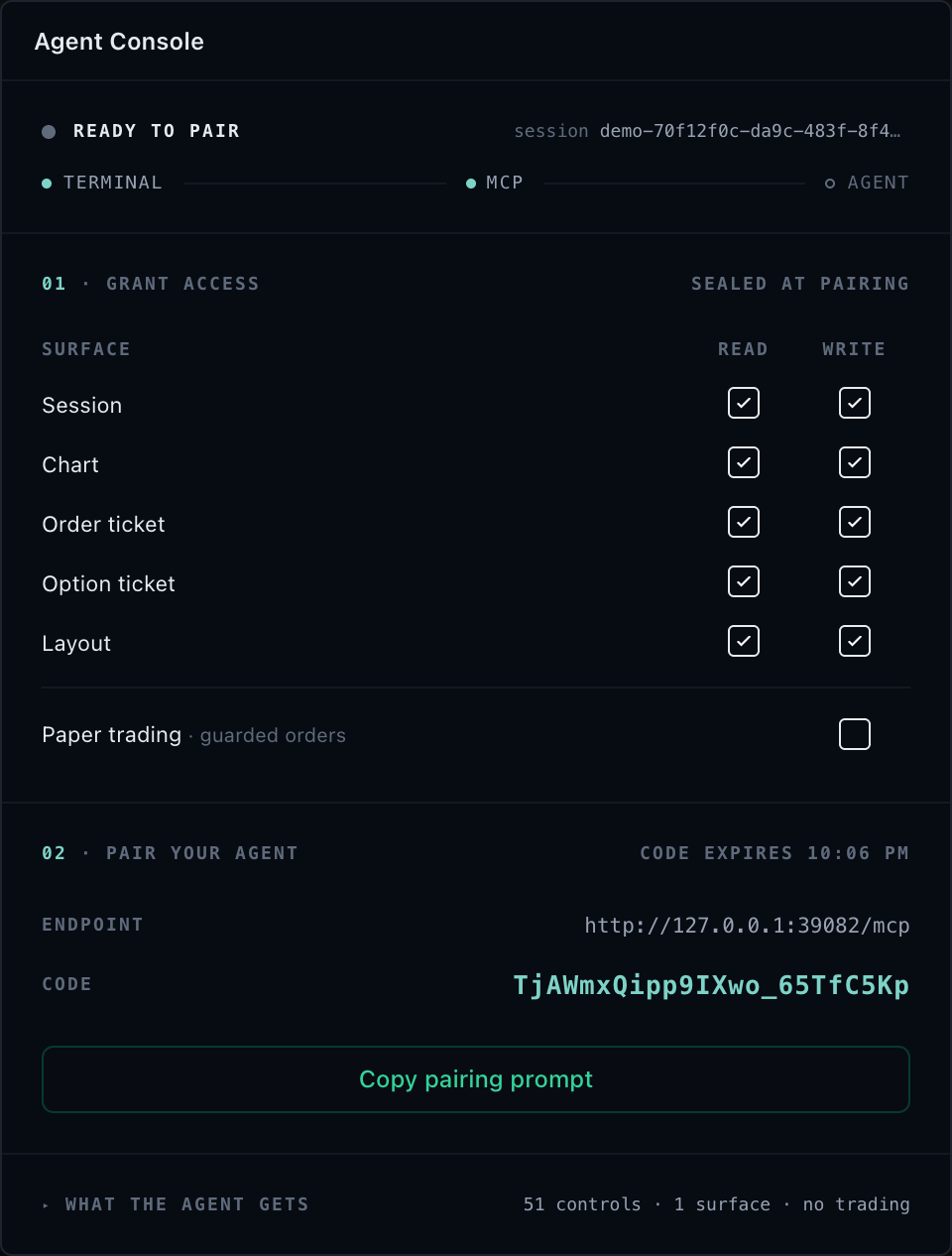
TradeScript provides libraries, not hosted AI or MCP infrastructure.
@tradescript/chart-mcp is the optional universal agent-control layer for
TradeScript Pro Charts. An embedding application attaches the agentic adapter
it already uses for its terminal, charts, widgets, market data, account state,
and paper broker. An MCP-capable client can then discover and invoke the same
SDK controller objects used by the human interface.
Product boundary
| TradeScript supplies | The customer supplies and operates |
|---|---|
@tradescript/pro, @tradescript/react-widgets, and @tradescript/chart-mcp | Model and AI provider |
| Typed chart, terminal, widget, and MCP contracts | Chat backend and provider credentials |
| Browser attachment, pairing, discovery, routing, and policy enforcement | Local MCP process or customer-hosted HTTPS/WSS gateway |
| Self-hosted runtime APIs and integration examples | Domain, TLS, identity, tenant policy, session store, logs, and retention |
| Paper-broker interfaces and paper-first examples | Market data, paper broker integration, and operating policy |
The supported connection paths are:
- Local standard MCP over a loopback bridge.
- Customer-hosted standard MCP on the customer's origin.
- Page-native WebMCP with no Node or remote MCP service.
- Embedded chat through the customer's backend and selected model provider.
No path makes a request to a TradeScript-operated model or MCP endpoint.
All authority lives in the embedding application: the host adapter's agenticAccess is the maximum, every child policy only narrows it, financial controls are a separate trade class, and MCP itself supplies bounded transport, discovery, and routing — never authorization. Your first setup page is Install the TradeScript MCP Layer.
The MCP layer does not scrape the DOM, click approximate coordinates, or maintain a second application state. SDK controllers own capability facts, state, revisions, subscriptions, and execution. The six stable v2 tools are tradescript_get_context, tradescript_list_controls, tradescript_call, tradescript_batch, tradescript_subscribe, and tradescript_snapshot; there are no chart_* tool aliases.
Start where your role starts
| Your role | You need | Start here |
|---|---|---|
| Integrator embedding charts or a terminal | Install the package and attach one adapter; publish tools in an AI browser or pair a standard MCP client | Installation → WebMCP or Pairing |
| Security reviewer or platform owner | The trust boundary, read/write/trade access classes, broker and risk gating, customer-hosted invariants | Security and Access → Controls and Resources |
| Agent author or MCP client operator | The six-tool operating loop, effective control discovery, evidence rules, recovery playbooks | Controls and Resources → Recipes → Troubleshooting |
The agent loop
Every correct agent run follows the same loop: bind to one exact page session, then inspect, pass the host's policy gate, act, and observe evidence before acting again. Standard MCP binds through pairing; WebMCP binds when the page registers its attachment.
The approval step in that loop is the host's own policy gate, not a server prompt: tradescript_list_controls returns only session-effective controls, and denied capabilities appear in the SDK-owned unavailableControls ledger with source-owned reasons. The MCP server has no built-in per-call human approval; if a workflow requires human confirmation, obtain it before the call.
For standard MCP, the concrete tool sequence is:
- Read
tradescript://sessionsand select an opaquesessionId. - Call
tradescript_get_contextwith that session and{ "scope": "session" }to discover all mounted targets. - Select an exact target:
{ "scope": "session" },{ "scope": "chart", "chartId": "..." }, or{ "scope": "widget", "widgetId": "..." }. - Call
tradescript_list_controlswith the samesessionIdand required exact target. It returns effective controls plus the SDK-owned unavailable and unclassified capability ledger. - Call
tradescript_callwith one returned control ID, positional arguments matching its published signature, and the relevant current controller revisions. - Re-read context or poll
tradescript_subscribeto verify state and event evidence. Usetradescript_snapshotwhen rendered output matters.
For WebMCP, start at step 2 without a sessionId: the page attachment injects
its own session identity into every tool dispatch. WebMCP exposes tools rather
than MCP resources, so there is no tradescript://sessions lookup on that path.
tradescript_batch runs a bounded ordered sequence and is explicitly non-atomic. Inspect every item and reconcile successful mutations before retrying anything.
What can be controlled
The control catalog spans chart, workspace, data, replay, customization, layout, tabs, market events, news, watchlists, symbol linking, terminal panels, order flow, accounts, options, risk, and trading. What any one agent receives is narrower: it depends on the adapter, the mounted surfaces, and the access policy supplied by the host. Browse the complete vocabulary in the MCP Control Reference.
The catalog describes available product operations; it does not authorize a
session. tradescript_list_controls returns the operations effective for the
requested target after mounted support, host policy, attachment policy, and the
broker environment are applied. Unavailable rows explain why an operation
cannot be used so the client can report the gap instead of guessing.
Exact access model
Read, write, and trade are separate access classes. Families provide useful groups, and exact control decisions refine those groups. A widget or session policy can only narrow the adapter's host-owned maximum; it cannot create a capability or widen authority.
Financial controls are trade, not ordinary write. The shipped integration
and examples are paper-only. Unknown, mismatched, or live execution
environments fail closed for this product profile.
Intentional boundaries
DOM nodes, browser callbacks, provider registration, storage adapters, and host lifecycle operations remain in the embedding application. MCP exposes serializable product operations, not browser implementation objects.
Trading chart lines use stable IDs and JSON-safe create/read/list/update/remove controls so their state and evidence can cross the MCP boundary.
Subscriptions use exact SDK channel identities returned by context. Each event retains its target, channel, binding identity, sequence, and bounded payload. Missing provider streams remain unavailable; MCP does not synthesize them from unrelated reads.
Agents may configure built-in indicators and operate indicator instances registered by the host. The MCP server does not accept or execute runtime TypeScript indicator source.