Embed the Agent Console
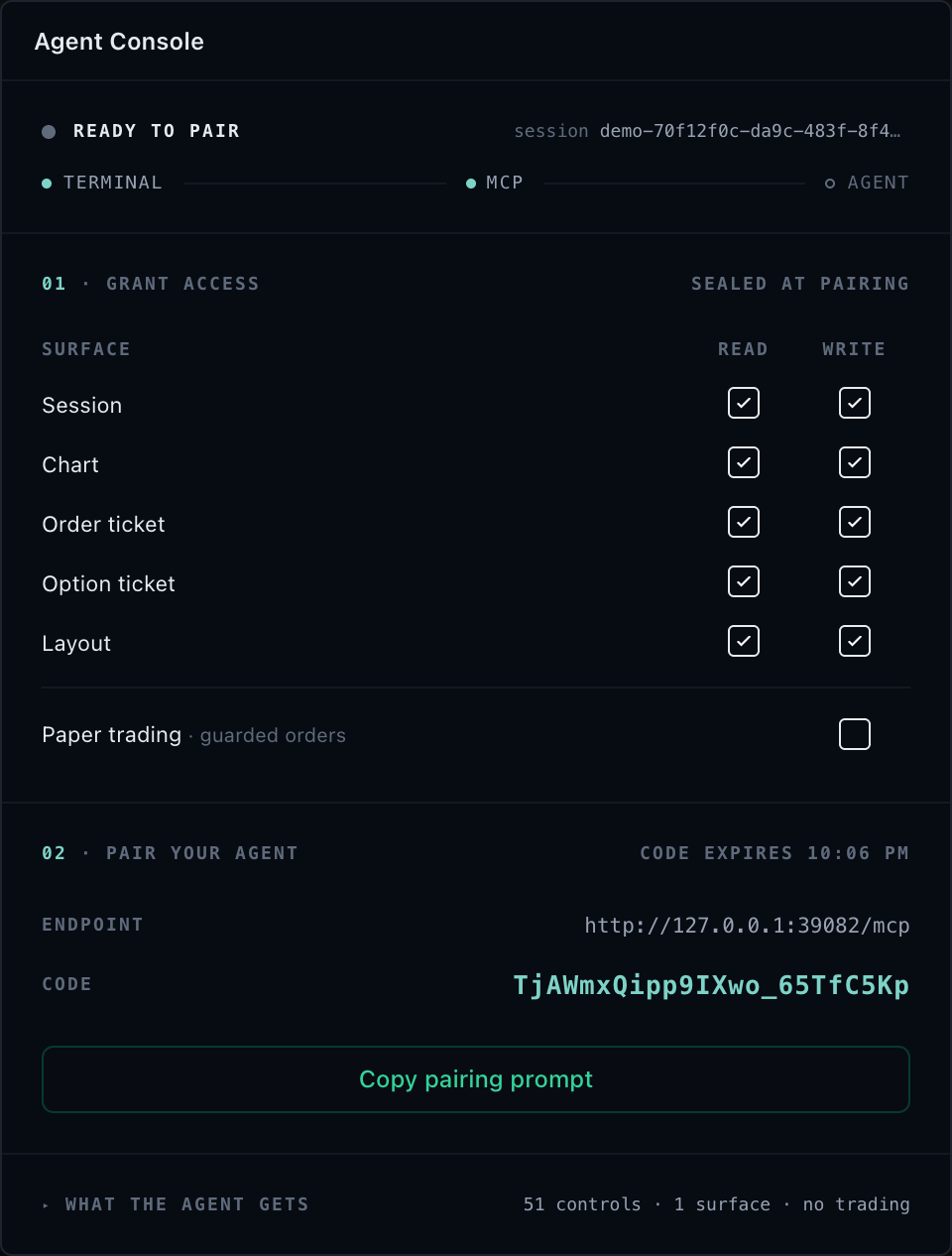
AgentConsoleWidget renders connection, grants, pairing, capability, activity,
expiry, and revocation state. Networking and credentials remain in the
customer-owned controller.
Terminal panel
import { BrokerTradingTerminal } from '@tradescript/react-widgets/widgets/trading-terminal'

<BrokerTradingTerminal
  sdk={sdk}
  adapter={adapter}
  panels={{ agentConsole: true }}
  agentConsoleOptions={{ controller }}
/>
The panel follows the same drag, resize, focus, close, and saved-layout behavior
as other terminal widgets. Set panels.agentConsole to false to exclude it.
Agent Console and Agent Chat are independent. Customers can mount Console only, Chat only, both, or neither. The fresh complete Agent Workspace places Watchlist, Chart, Order ticket, and Agent Console across the top row, with Account, Agent Chat, Market depth, and Time & Sales across the bottom row. Console occupies the top-right cell with Time & Sales directly below it, while Chat and Account remain distinct groups. Partial configurations keep Chat as a normal independent panel; without Account, Chat receives its own 260px bottom split. A supplied or restored layout takes precedence over this fresh topology.
Explicit panels.agentChat: true can mount Chat before its customer provider is
configured. That safe setup state disables model selection, composition, and
sending and performs no provider discovery, network request, or fallback
egress. It does not turn Agent Console into a hosted model or MCP service.
Standalone widget
import { AgentConsoleWidget } from '@tradescript/react-widgets/widgets/agent-console'

<AgentConsoleWidget controller={controller} />
Customer-ready controller
import {
  createSelfHostedGatewayClient,
  createTradeScriptAgentConsoleController,
} from '@tradescript/chart-mcp/browser'

const client = createSelfHostedGatewayClient({
  sessionsUrl: 'https://terminal.customer.example/api/tradescript-agent/sessions',
  fetch: customerAuthenticatedFetch,
})

const controller = createTradeScriptAgentConsoleController({
  attachment: ({ sessionId, grants, onActivity }) => attachCustomerSession({
    sessionId,
    grants,
    onActivity,
  }),
  transport: { kind: 'self-hosted', client },
  access: {
    grants: customerGrants,
    setGrant: customerPolicy.setGrant,
    setPaperTradingEnabled: customerPolicy.setPaperTradingEnabled,
  },
  evidence: { onActivity: customerEvidenceSink.write },
})

await controller.start()
Use { kind: 'loopback' } for a local stdio server. The controller manages
connection mechanics, attachment rotation, pairing presentation, expiry,
capability refresh, activity, and cleanup. Customer callbacks still own grants,
session authorization, audit persistence, prompts, and paper-broker policy.
For a connected self-hosted session, await controller.rotateBrowserToken()
calls the authenticated customer rotation endpoint, closes the old bridge,
reconnects with the replacement, and keeps both credentials in closure memory
only. The gateway atomically invalidates the old token before returning the new
one. Rotation does not change tenant, principal, session, grants, origin, or
expiry.
The snapshot contains presentation-ready state only. Browser tokens, pairing tokens, cookies, authorization headers, and model credentials must never enter the snapshot, layout state, telemetry, or retained activity feed.
Call await controller.destroy() when the host unmounts permanently.
Next steps
- Pair a session after the customer controller issues its one-time code.
- Deploy the self-hosted gateway when loopback no longer fits the customer topology.
- Review MCP security before enabling write or paper-trading grants.