Agent Chat
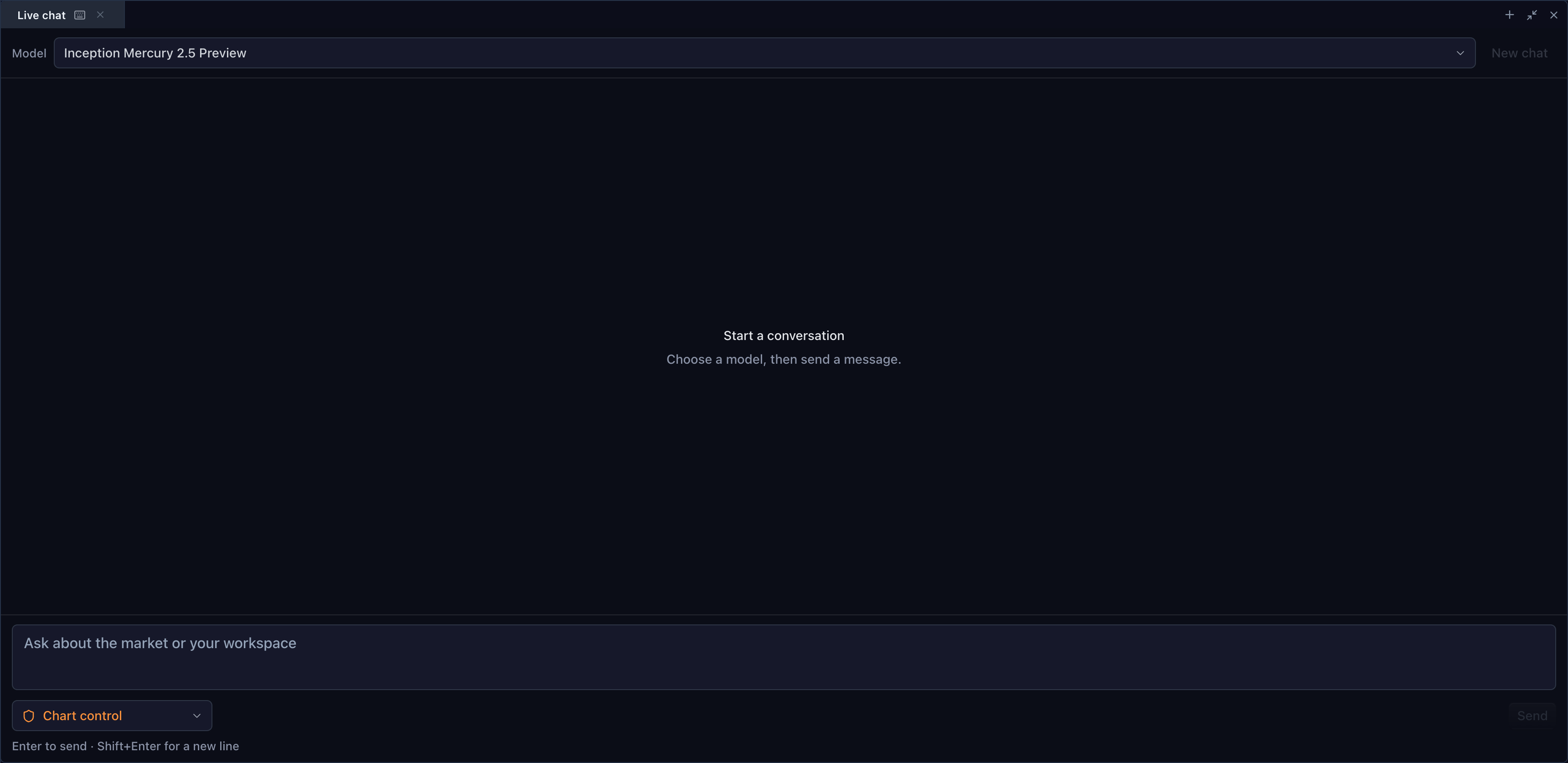
Agent Chat is the embedded conversational surface for a TradeScript terminal. The SDK owns the accessible chat UI, bounded tool loop, and result evidence. The customer owns the backend, model provider, identity, credentials, transcripts, and retention policy.
AgentChatWidget does not contain an AI provider. The customer supplies an
AgentChatProviderApi that calls the customer's backend, and that backend calls
the customer's selected model provider.
The provider option is optional only to support a safe, visible setup state.
Without it, the model selector, composer, and send action are disabled. The
widget does not call listModels, contact a network, infer a default URL, or
fall back to a TradeScript or third-party service. Supplying the customer-owned
provider is the only transition from setup UI to model chat.
import {
  AgentChatWidget,
  createHttpAgentChatProvider,
} from '@tradescript/react-widgets/widgets/agent-chat'

const provider = createHttpAgentChatProvider({
  baseUrl: '/api/agent',
  fetch: customerAuthenticatedFetch,
})

<AgentChatWidget
  provider={provider}
  tools={chatTools}
  maxToolCallsPerMessage={256}
/>
Provider credentials remain on the customer backend. Never place a model API key in browser code, widget props, tool definitions, prompts, or logs.
In BrokerTradingTerminal, panels.agentChat: true mounts Chat even while it
is in that unconfigured setup state. Agent Console is a separate optional panel
backed by the customer's MCP controller; enabling either panel does not enable
the other. The fresh complete Agent Workspace uses Watchlist | Chart | Order
ticket | Agent Console on top and Account | Agent Chat | Market depth | Time &
Sales below. Chat and Account are distinct groups, and Time & Sales sits below
Console. Partial configurations keep Chat independent; without Account it uses
a 260px bottom split. Restored layouts override the fresh topology.
Tool-call loop
- The widget sends the conversation, selected model, access description, and five JSON-safe tool definitions to the customer backend.
- The backend streams
text-delta, validatedtool-call, anddoneevents. - The browser validates and executes tool calls through the sealed
AgentChatToolAuthoritycreated for the attached TradeScript session. - Tool results return to the customer backend and model for the next round.
The backend never receives browser pairing credentials and never executes chart or paper-broker calls directly. The access label is model context, not an authorization boundary; SDK policy remains authoritative.
Text chat exposes context, control discovery, call, batch, and subscribe. Snapshots remain available through standard MCP and WebMCP until the provider contract supports multimodal tool results.
The default and maximum per-message tool-call limit is 1,048. Customers may set a lower positive limit. Three consecutive all-failed tool rounds stop the run.
Errors use structured codes for provider authentication, rate limiting, transport, timeout, MCP connection, policy denial, unavailable control, failed rounds, and tool limit. Render only the safe message; send internal diagnostics to customer-owned observability without prompts, tool payloads, or credentials.
| Code | Meaning | Typical operator action |
|---|---|---|
provider.authentication | The customer backend rejected its browser request or provider credential. | Repair the customer identity or server-side provider credential. |
provider.rate-limit | The customer backend or its provider is throttling requests. | Honor the customer backend retry policy and retryAfterMs when supplied. |
provider.transport | The customer backend could not be reached or returned an invalid response. | Check the configured customer URL, TLS, network, and response contract. |
provider.timeout | The customer backend timed out. | Retry only when the operation is safe and the backend marks it retryable. |
mcp.disconnected | The page-owned tool authority is no longer attached. | Reconnect or re-pair through Agent Console before continuing. |
policy.denied | The selected access grant does not permit the requested tool call. | Change the human-owned grant or choose an allowed operation; never widen it in a prompt. |
control.unavailable | The requested controller operation is not effective on that exact target. | Rediscover the target and use its exact unavailable reason. |
tool-round.failed | Three consecutive model tool rounds produced no successful call. | Inspect the trace, correct the prompt or fixture, then start a new message. |
tool-call.limit | The configured per-message fuse was reached. | Continue in a new message or configure a lower—not higher—limit. |
The HTTP adapter accepts a structured error only when its code is in this allowlist and its safe message is bounded and free of control characters. Otherwise it renders a status-derived customer-safe reason. Raw provider bodies, stack traces, cookies, authorization headers, and tool credentials are never rendered.
Related pages
- Embed the Agent Console to expose connection, grants, expiry, activity, and revocation state.
- Configure an MCP client for standard MCP or page-native WebMCP operation.
- Agent chat covers the complete terminal-mounted React integration.